

|
|
|
To create a policy for the eTrust SiteMinder iRecorder, you must add the default policy template for eTrust SiteMinder to the Policy Manager.
Note: If you do not have an eTrust SiteMinder Policy, you must import the policy template for eTrust SiteMinder to the Policy Manager.
To add the default template, follow these steps:
[eTrust Auditinstall]\bin\pmu_template_exchange.exe.
where [eTrust Auditinstall] is the directory where eTrust Audit is installed.
The Import/ Export Policy dialog appears:
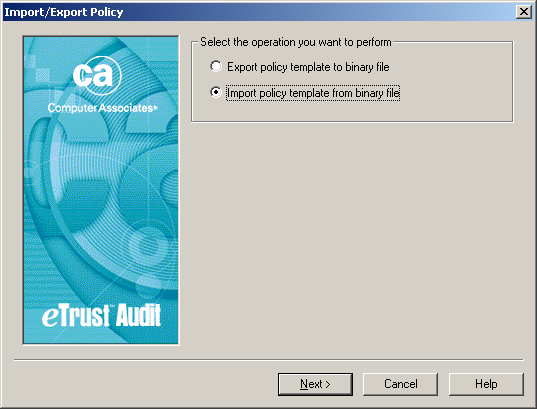
You are asked for the policy file name for your iRecorder.
eTrust_SiteMinder.ptf
The policy file is installed along with the iRecorder at this location:
<Drive:>\Program Files\CA\SharedComponents\iTechnology\eTrust_SiteMinder.ptf.
Note: If there is no specific ptf file (eTrust_SiteMinder) available, default policies already exist in the Policy Manager that you can use for eTrust SiteMinder. You can skip this procedure.
A dialog appears that describes the chosen policy file.
A dialog appears and asks whether you want to create the policy in the default policies section.
A dialog appears that asks you for the name of the subpolicy for eTrust SiteMinder.
The default policy is loaded into the Policy Manager.
| Copyright © 2011 CA. All rights reserved. | Email CA Technologies about this topic |