

|
|
|
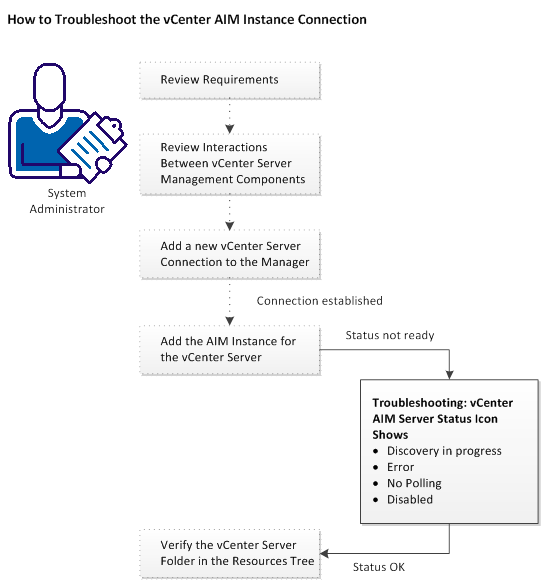
The vCenter AIM Connection is in not-ready status. One of the following status icons appears:
 Discovery in progress - Wait until the platform manager synchronizes all data.
 Error - Unable to connect to the AIM. Check the network configuration.
 No Polling - The CA Server Automation manager does not poll this AIM instance.
 Disabled - This instance is not managed.
Follow the troubleshooting information indicated in the following diagram:
| Copyright © 2012 CA. All rights reserved. | Tell Technical Publications how we can improve this information |