

|
|
|
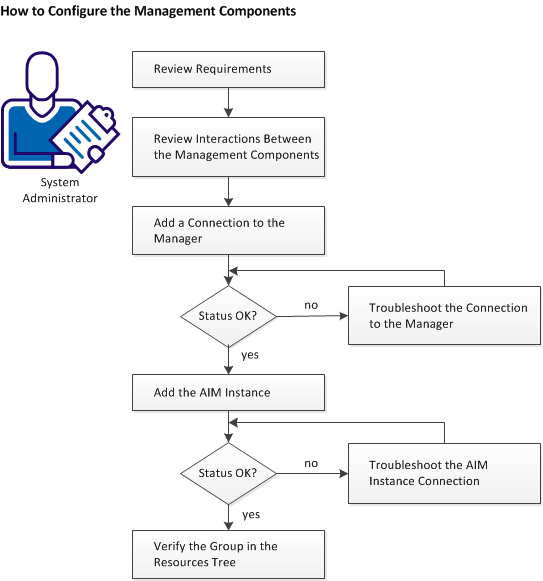
The following diagram provides an overview of the required actions to configure the management components. The diagram includes corresponding troubleshooting strategies in case of connection problems.
A Cisco UCS Manager running on the switch provides management functionality for networking, storage, and blades, and also supports virtualization.
CA Server Automation interacts with Cisco UCS to query UCS device information including hardware resource, and health and device statistics. CA Server Automation supports Cisco UCS using a UCS AIM and PMM.
Follow these steps:
| Copyright © 2012 CA. All rights reserved. | Tell Technical Publications how we can improve this information |