

|
|
|
This scenario provides information about how a system administrator can identify and dynamically address performance issues. This information is meant for System Administrator to optimize the allocation of resource shares of their managed vCenter environments.
The policy actions identify VM resources and dynamically adjust the allocation of CPU shares. Shares determine which VM gets resources when there is competition for resources among VM’s. Using shares allows dynamic allocation of CPU resources. Each VM is allocated a specified number of shares. The amount of resources the VM receives depends on the proportion of its share against the total number of available shares. The allocation is dynamically changed based on the current usage of CPU resources on the ESX Server host.
If CPU usage of any VM is over 50 percent, allocation of CPU shares increases dynamically. If CPU usage is less than 30 percent, the CPU shares allocation decreases dynamically. The policy component not only identifies the problematic virtual machines but helps ensure dynamic actions which sustain business continuity. Using policy actions helps ensure that resources are allocated where to virtual machines that are in need and deallocate when the need is gone.
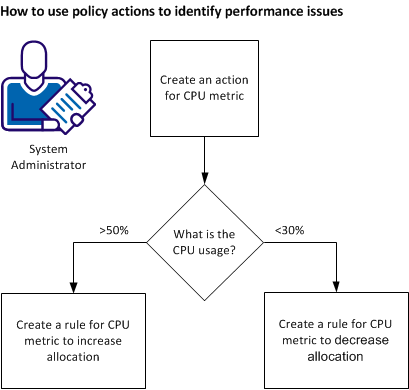
To identify and address performance issues using policy actions, follow these steps:
| Copyright © 2011 CA. All rights reserved. | Tell Technical Publications how we can improve this information |