

|
|
|
The same user security is applied to the user accessing CA SYSVIEW through the client as they would through any CA SYSVIEW user interface. Users that do not have access to a command as established by CA SYSVIEW internal or external rules, cannot access that command on the client.
Client security validation works as follows:
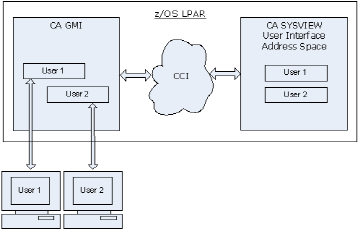
The following diagram shows the GUI connections and the user tasks:
When a user does not have access to a field, security works as follows:
| Copyright © 2012 CA. All rights reserved. | Tell Technical Publications how we can improve this information |