

|
|
|
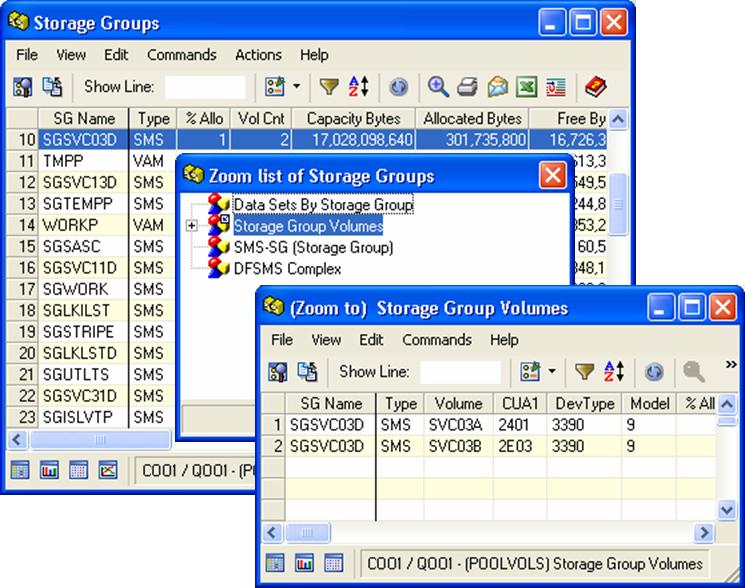
The Windows Client Open Zoom feature provides you with a list of objects that have related information. You can select an object from the Zoom list dialog to view the related information.
Note: The Web Client provides a Zoom feature on the Object toolbar. For more information, see the CA Vantage SRM Web Client Guide.
To zoom to related objects in the Windows Client
The selected row is highlighted.
 ).
).
The Zoom list dialog appears, listing related objects.
Object information in the object selected for that item appears.
The following sample illustrates a zoom from a particular Volume in the Volumes object to the same Volume in the Data Set Name Blocks (DSNBs) object.
| Copyright © 2012 CA. All rights reserved. | Tell Technical Publications how we can improve this information |