

|
|
|
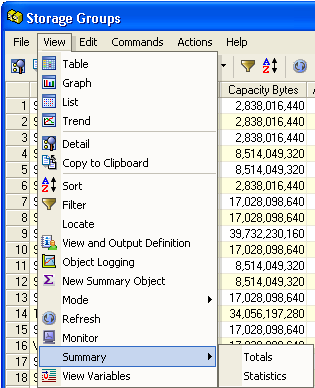
The Windows Client Totals and Statistics Summary options in the View menu let you request the total of every numeric field, or combine the totals with the average, minimum, and maximum values.
Note: The Statistics option in the View menu of the Web Client provides a statistics and totals view of the object. For more information, see the CA Vantage SRM Web Client Guide.
Example: Access Summary Totals and Statistics options
The following example shows where to access the Summary Totals and Statistics options from the Windows Client View drop-down menu option in the Table View.
| Copyright © 2012 CA. All rights reserved. | Tell Technical Publications how we can improve this information |