

|
|
|
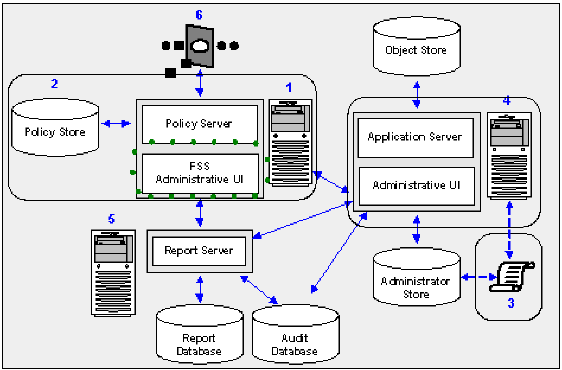
The following diagram illustrates a sample SOA Security Manager installation and lists the order in which you install and configure each component.
Note: The FSS Administrative UI is installed with the Policy Server.
Note: A registered FSS Administrative UI is only required to manage CA SiteMinder Federation Security Services. If you organization is not federating with a partner, you may safely leave the CA SiteMinder Federation Security Services on the Policy Server machine without registering it with the Policy Server.
The following sections detail:
| Copyright © 2009 CA. All rights reserved. | Email CA about this topic |