

|
|
|
You now have a fully functional application. You can enter projects and tasks, and also assign employees to those tasks. Do the following to test the application:
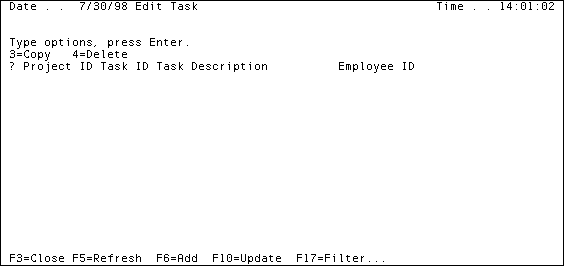
Notice that the Project ID field is already filled.
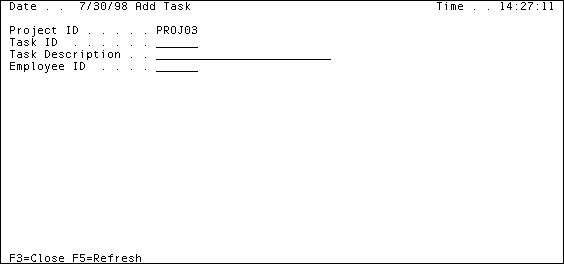
|
Value |
Enter |
|---|---|
|
Task ID |
TASKA |
|
Task Description |
Create a data |
The third field you need to fill, Employee ID, requires an exact match to the ID for the employee to whom you want to assign the task. However, you may not know to whom you want to assign a task or an employee’s ID, so perform the next step.
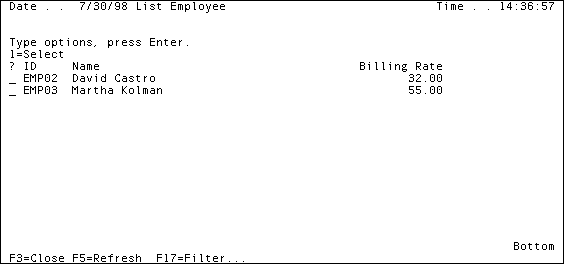
Remember, you already changed this panel to hide the Employee Email and Employee URL fields, for more information, see Hiding Fields on Panels in the chapter "Diagramming Entity Relationships."
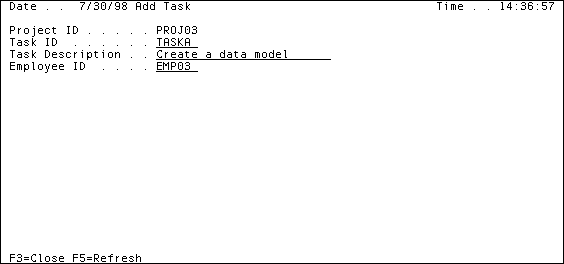
|
Value |
Enter |
|---|---|
|
Task ID |
TASKB |
|
Task Description |
Verify model with clients |
|
Employee |
Martha Kolman |
|
Value |
Enter |
|---|---|
|
Task ID |
TASKC |
|
Task Description |
Decide which libs. to use |
|
Employee |
Martha Kolman |
|
Value |
Enter |
|---|---|
|
Task ID |
T130 |
|
Task Description |
Architect email module |
|
Employee |
David Castro |
|
Value |
Enter |
|---|---|
|
Task ID |
T131 |
|
Task Description |
Test email functionality |
|
Employee |
David Castro |
| Copyright © 2012 CA. All rights reserved. | Tell Technical Publications how we can improve this information |