

|
|
|
You define the Task entity by adding triples so that Task inherits a user interface and database functionality from class library objects.
To define the Task entity:

Notice that the Task and Employee entities are both visible in the Object Browser.
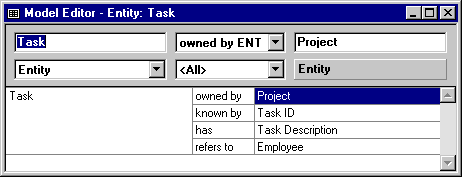
These are the triples that CA Plex added to your model when you created the diagram in the preceding lesson.
Task is a OBASE/Grid Maintained Entity
You created this same triple for the Project entity. For more information, see Add Functionality to the Project Entity in the chapter "Defining Entities." It gives Task basic user interface and database functionality.
OBASE/Child
This triple gives Task special processing based on its relationship with its owning entity, Project. You used the Diagrammer to define the triple, Task owned by Project, which describes the relationship between the entities. For more information, see Defining Relationships Between Entities in the chapter "Diagramming Entity Relationships." The Task is a OBASE/Child inheritance triple provides the Task entity with cascade delete functionality. This functionality causes all tasks owned by a project to be deleted when the owning project is deleted.

You use this dialog to specify the owner of an entity that inherits from OBASE/Child.
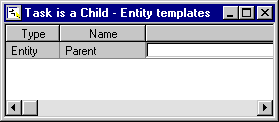
Task replaces OBASE/Parent
...by Project
This reflects the change you made in the Template Editor. The second line (...by Project) is called a continuation triple.
The indentation and ellipsis before the continuation verb indicate that the triple qualifies or modifies the triple above it.
| Copyright © 2012 CA. All rights reserved. | Tell Technical Publications how we can improve this information |