|
|
|
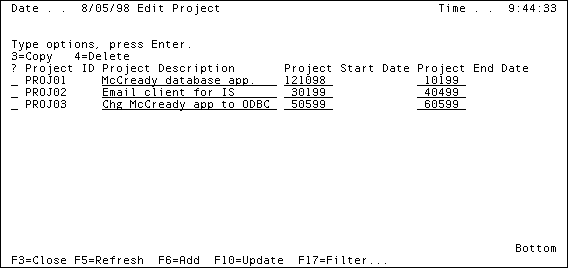
You probably noticed when you used the application as directed in Getting Started in the chapter, "Your First Application in 20 Minutes," that it did not look right. The headings for the columns all start with Project even though the panel title is Edit Project. The long column headings cause the columns to extend all the way to the right edge of the panel, with wide gaps between the values.
In this chapter, you will use the Panel Designer to fix these problems:
| Copyright © 2012 CA. All rights reserved. | Tell Technical Publications how we can improve this information |