Previous Topic: Misnamed Objects

Next Topic: Renaming Objects Whose Names You Mistyped

Deleting Objects You Unintentionally Created

To delete objects you unintentionally created:
  1. Set the Object Browser so that it shows the type of object you want to delete.
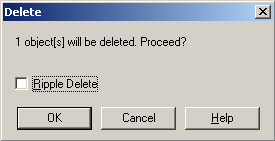
  2. Right-click the errant object, choose Object, and then Delete from the pop‑up menu. The Delete dialog appears.

    PLEX--Deleting Objects You Unintentionally Created

  3. Click OK. The Delete Object dialog appears.

    This dialog shows you the objects that will be deleted. The following example shows you the objects that are deleted when deleting an entity called Gridmaintained entity.
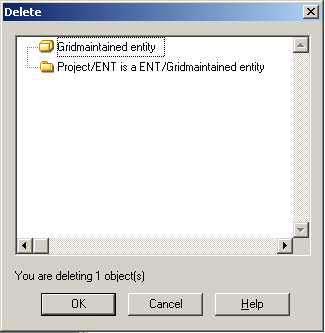
    PLEX--Deleting Objects You Unintentionally Created (2)

  4. Click OK.