

|
|
|
|
|
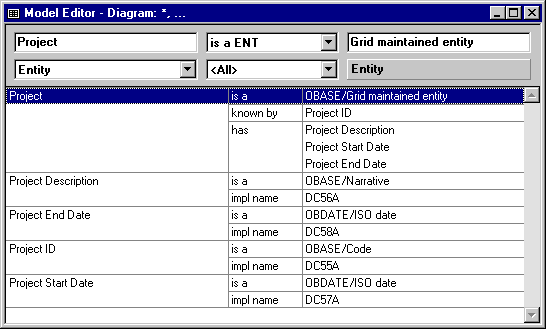
To open the Model Editor, choose Model Editor from the Tools menu, or click the New Model Editor toolbar button. You use the Model Editor to view, add, edit, and delete triples. The following graphic shows you the Model Editor as it appears after you have completed this lesson. |
| Copyright © 2012 CA. All rights reserved. | Tell Technical Publications how we can improve this information |
