Introduction › Setting Up Generate and Build Options › Specifying Build System Settings
Specifying Build System Settings
Now that you have the necessary information to set up a network connection to your System i system, you are ready to specify those settings in the Generate and Build options for your model.
The following steps outline how to set up a TCP/IP connection. The process involves three main steps:
- Creating a System i system.
- Specifying settings for the system.
- Indicating that the model should use the newly created system when building for the System i 5250 environment.
To specify build system settings
- If it is not already running, start CA Plex and open Tutorial5250.mdl. For instructions, see Opening , earlier in this chapter.
- From the Tools menu, choose
Build window opens
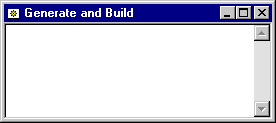

- Click the Generate and Build Options toolbar button. The Generate and Build Options dialog opens:
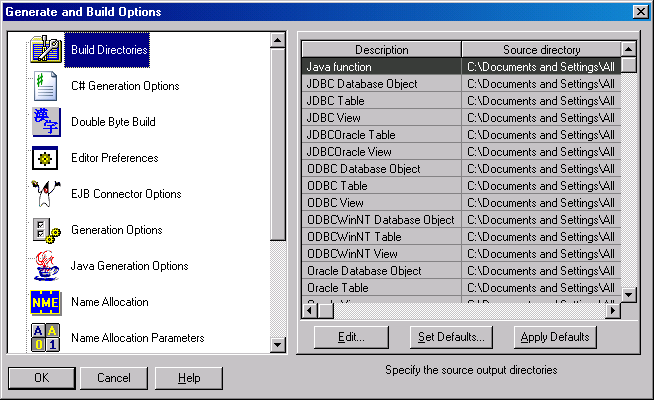
- Click Set Defaults. The Set Build Directory Defaults dialog opens:
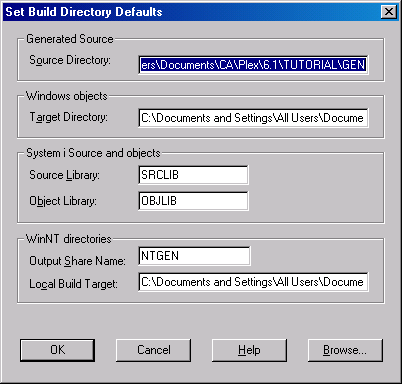
- Change the Source Library and Object Library fields to YTUTORIAL.
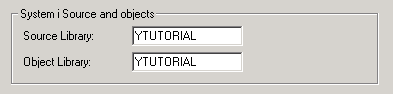
Note: You should have created the YTUTORIAL library on your System i during the CA Plex installation process. For more information, see Getting Started
- Click OK. The Generate and Build Options dialog opens.
- To assign the Source directory location as the default location of the generated source directories, Click Apply Defaults.
- On the left pane of the dialog, select System Definitions. The display changes:
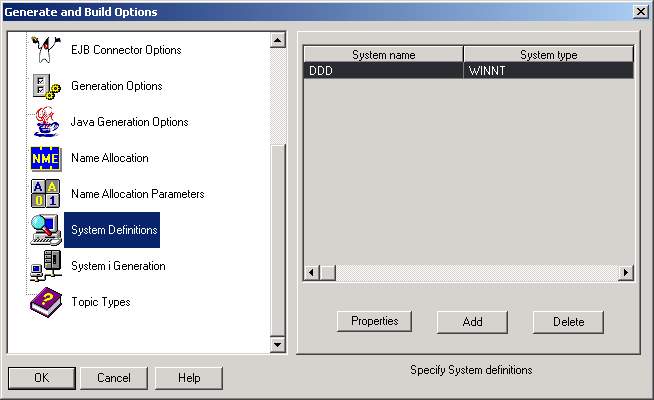
Note: The section on the right looks different on your screen.
- Click Add. The Add System dialog opens
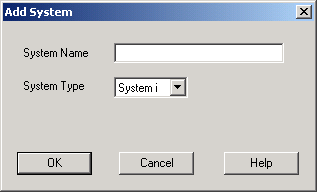
- Type your system name in the System Name field. Remember that you received this information from your System i network administrator before starting this process.
Make sure System i is selected in the System Type field, then click OK.
- The new system name appears in the Generate and Build Options dialog. Now that you have created a System i system, you need to specify its settings.
- Select the system name you just added and click Properties. The System Properties dialog opens.
- Change the Job Description Name to QBATCH, and the Job Description Library to YTUTORIAL.
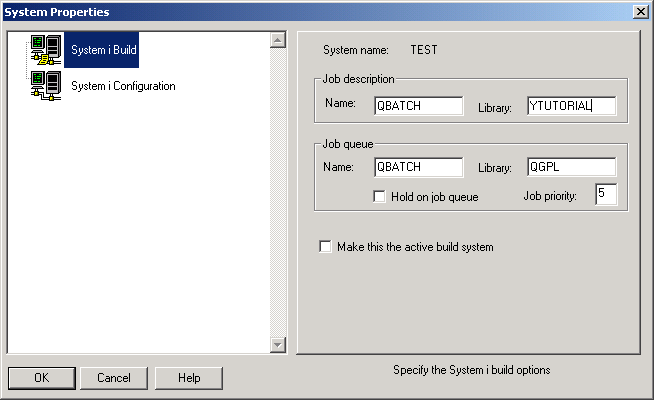
- Make sure that the Hold on Job Queue check box is not checked and that the Job Priority value is set to 5.
- In the left pane, select the AS/400 Configuration option. The System Properties dialog changes:
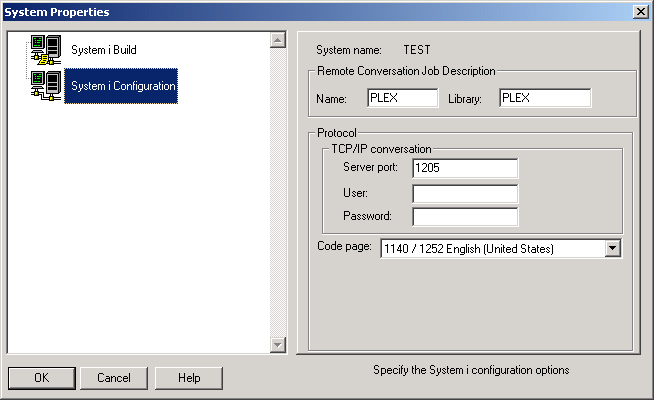
- In the Protocol section, enter the appropriate information in that option’s section.
- Click OK to close the System Properties dialog.
Now that you have created a system definition, you must indicate that CA Plex is to use that system when generating and building for the System i 5250 environment.
- Click OK again to exit the Generate and Build Options dialog.

