

|
|
|
This graphic shows you the different ways you can position toolbars. You can dock toolbars just below the menu, on either side, or set them to float in the workspace.
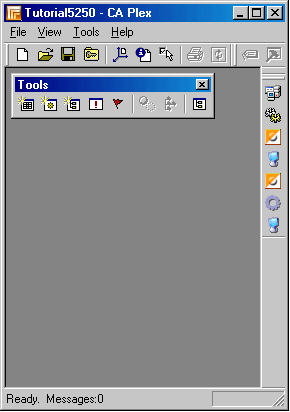
Notice where your toolbar resides in the CA Plex environment.
By default, when the model opens, the Object Browser appears and the name of the model appears in the title bar. These are the only indications that you have opened your model. You will learn about the Object Browser in Introducing the Object Browser in the chapter “Defining Entities.”

Note: When the editors prompt you to save, only the changes made in that editor are saved and not the whole model.
| Copyright © 2012 CA. All rights reserved. | Tell Technical Publications how we can improve this information |