Creating a Property Sheet › Modifying the Parent Panel
Modifying the Parent Panel
In the chapter "Creating a Wizard," you modified the wizard panel so that its child site was large enough to display the child panels. In the following steps, you change the panel scoped to the Project Property Sheet function so that it has enough room to display the panels scoped to Employee.Edit and Project.Maintain Projects.
To modify the property sheet panel:
- Open Project Property Sheet.Panel:
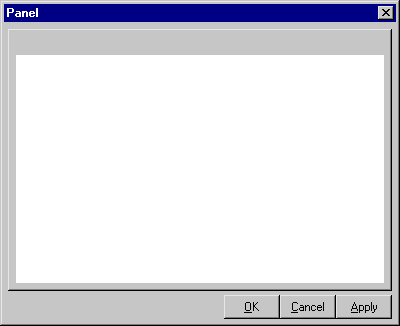
- In the Panel Palette, expand Panel, and then select ChildSiteP.
Note that its size is 400, 300 (width, height), which is much shorter than the height of the panel scoped to Project.Maintain Projects, and much narrower than the width of the panel scoped to Employee.Edit.
- Change the size of ChildSiteP so that it is 515 pixels wide (the width of the panel scoped to Employee.Edit), by 540 pixels tall (the height of the panel scoped to Project.Maintain Projects).
The child site now extends past the right and bottom edges of the dialog.
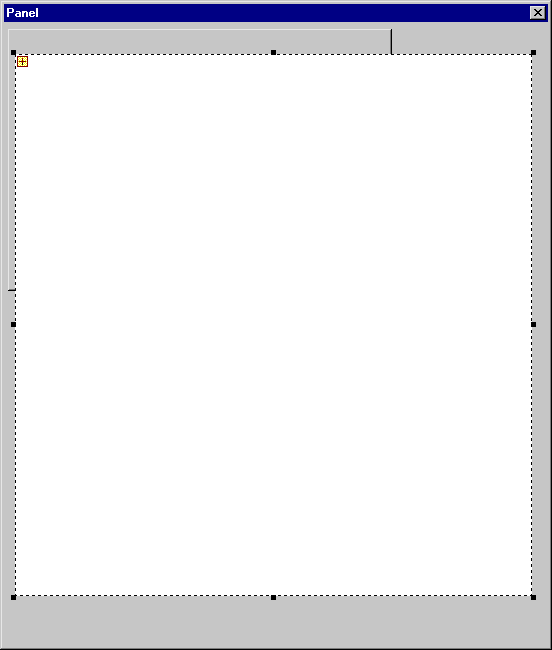
- In the Design Window, drag the right edge of the dialog so that it is a little wider than the child site. Then drag the bottom edge so that it extends enough below the bottom edge of the child site to display the OK, Cancel, and Apply buttons.
The buttons are currently hidden behind the child site. The panel should look like this:
- In the Panel Palette, expand Controls, and select TabStrip1.
This is the part of the panel that contains the actual tabs. FrameProperty inherited this from a function in the ActiveX Pattern Library called ACTIVE/TabStrip.
- In the Design Window, drag the tab strip’s right and bottom edges down so that it is slightly larger than the child site. You can move both edges by grabbing the bottom right handle that appears in the middle of the child region when you select the tab strip.
- In the Panel Palette, expand FrameParentP and select OK, Cancel, and Apply.
- In the Design Window, drag the buttons to the bottom right corner of the panel.
- Save your model and close the Panel Designer.

