Previous Topic: Modifying the Second Part of the Wizard

Next Topic: Defining Restrictor Processing

Adding Project ID to the SharedData and Restrict Variables

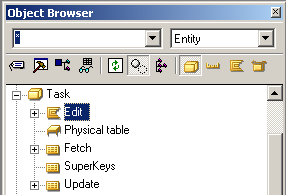
  1. Locate the Task.Edit function in the Object Browser and click the Editor toolbar button.

    Adding Project ID to the SharedData and Restrict Variables (1)

    PLEX--Adding Project ID to the SharedData and Restrict Variables (2)

  2. Cancel the Select Edit Point dialog.
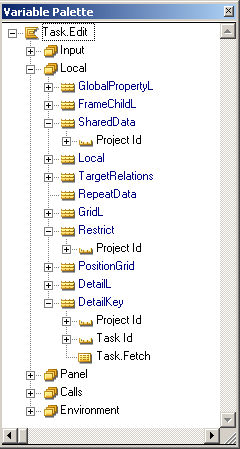
  3. Open the Variable Palette.

    Adding Project ID to the SharedData and Restrict Variables (5)

  4. Expand the Local variable group and then expand the DetailKey variable. Note that the Project ID field is available in this variable.
  5. Drag and drop the Project ID field from DetailKey to the Restrict variable. Then drag and drop it again to the SharedData:

    PLEX--Adding Project ID to the SharedData and Restrict Variables (4)

    You have now added the Project ID field to the SharedData and Restrict variables. This adds the following triples to the model:

    Task.Edit local Project ID
              ...for STORAGE/Restrict
    Task.Edit local Project ID
              ...for UIBASIC/SharedData
    

    Note: For this exercise, Project ID is dragged from the DetailKey variable. This was just for convenience—it could have also been dragged from the Object Browser and the result would have been the same.