Your First Application in 20 Minutes › Using Your Generated Application › Running the Project.Edit Function
Running the Project.Edit Function
- In the Generate and Build window, select the Edit function under the Project entity:
- Click the Run toolbar button.

- When you are prompted to choose the data source for your application, double‑click Plex r7.0 Tutorial.dsn.
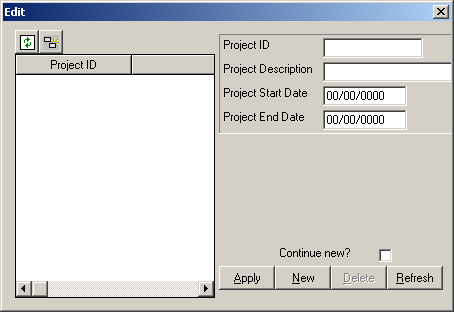
Your generated application starts. It should look like this:
- Leave this dialog open. The next steps show you how to add projects to your database.

