Product: CA Plex
Release: 7.1
This scenario describes how as a CA Plex Developer, you can import and use Web services in your CA Plex application model.
This Knowledge Base Article constitutes a portion of the official CA product documentation for this CA product. This Knowledge Base Article is subject to the following notices, terms and conditions.
As a CA Plex Developer, you can import and use Web Services in your CA Plex application models.
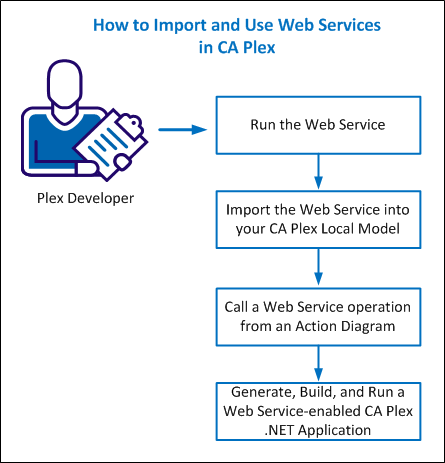
The following diagram illustrates how you can import and call Web Services from your application:
You must have the following prerequisites that are installed to import and use Web Services in the CA Plex application model:
This example uses a custom Stock Price web service, which you will build and deploy using Visual Studio 2010.
Follow these steps:
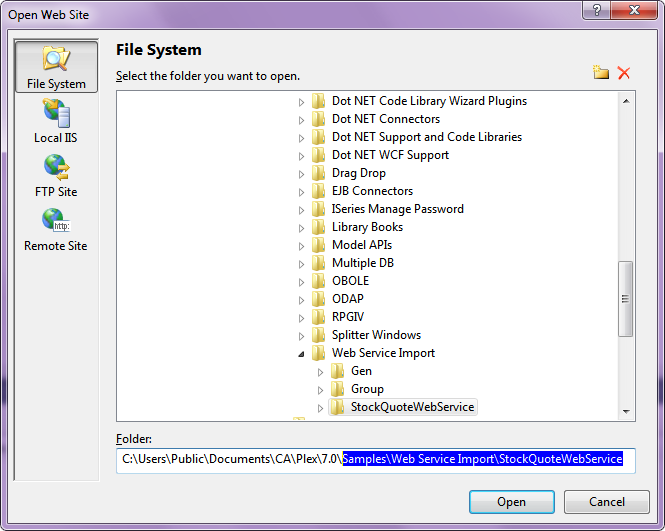
Note: The relative path for this folder from the samples directory is \Samples\Web Service Import\StockQuoteWebService.
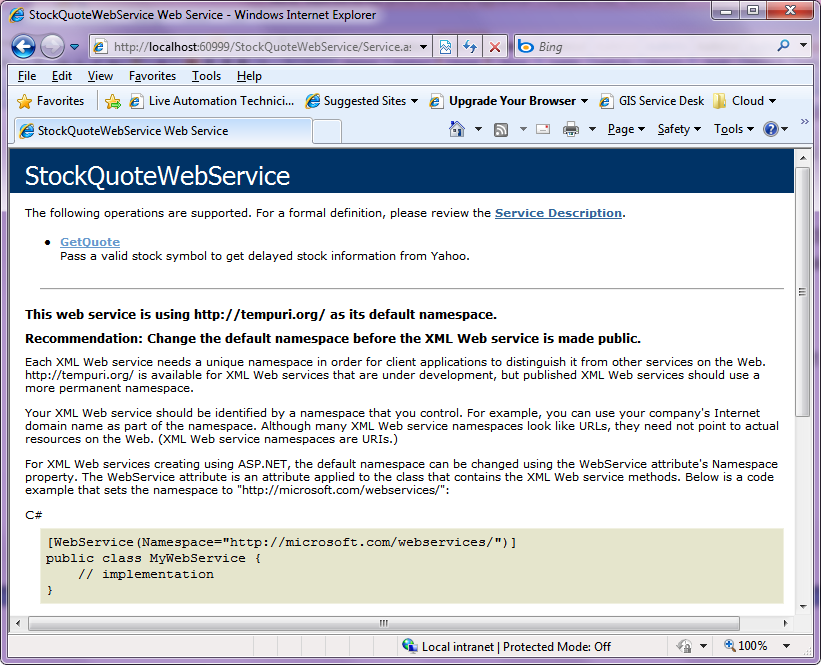
Note: This web service is simple to import and offers the following defined web method:
public double GetQuote(string symbol)
This web service takes a stock symbol that is passed as a string, and uses the Yahoo! Stock Quote CSV API to return quote data for that symbol. The web service then parses this data and returns the last available traded stock price for that symbol as a numeric double.
The ASP.NET Development Server starts and hosts the web service. The Service.asmx page opens in a browser displaying the available web service operations on the running service.
Important! Ensure to note the Service.asmx page URL path, which you require for the WSDL to run the web service.
Example: The Service.asmx page URL in this example is http://localhost:60999/StockQuoteWebService/Service.asmx, however, this URL path may differ on your machine. The path differs because the port used by the ASP.NET development server that hosts the web service allocates the port number at runtime.
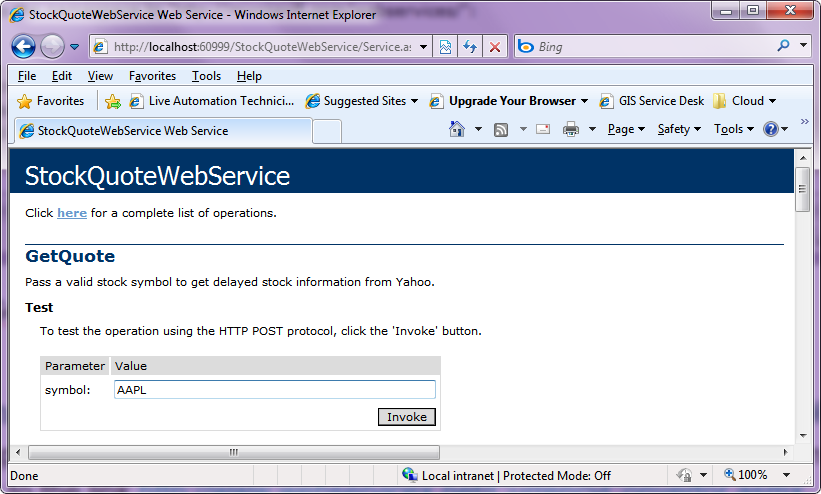
The list of input parameters that are required for the call displays. In this example, the symbol you want to get the quote for displays.
The SOAP response message displays the output from the call and the web service starts running on your machine.
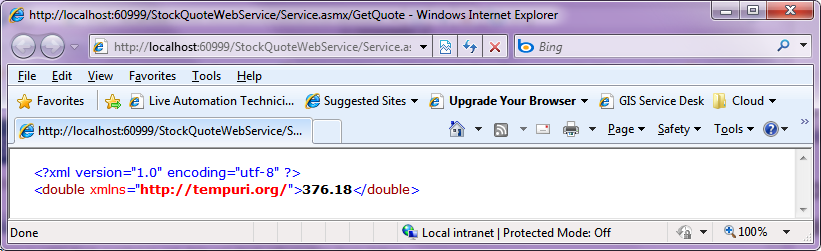
After you start the web service to run on your machine, import the same into your CA Plex local model.
Follow these steps:
This local model is initially blank, but has the FOUNDATION and all other dependent libraries attached.
The CA Plex Web Service Import Tool dialog opens.
Note: Since, the service is an ASP.NET based web service, navigating to this address returns the WSDL associated with the web service.
After the web service returns the WSDL, the CA Plex Web Service Import Tool parses the web service description that is returned, and lists the details on the web service in the tree hierarchy on the left-hand side of the dialog.
If you select any part of the WSDL containing the HTML documentation, then the documentation displays in the browser pane on the right-hand side of the dialog.
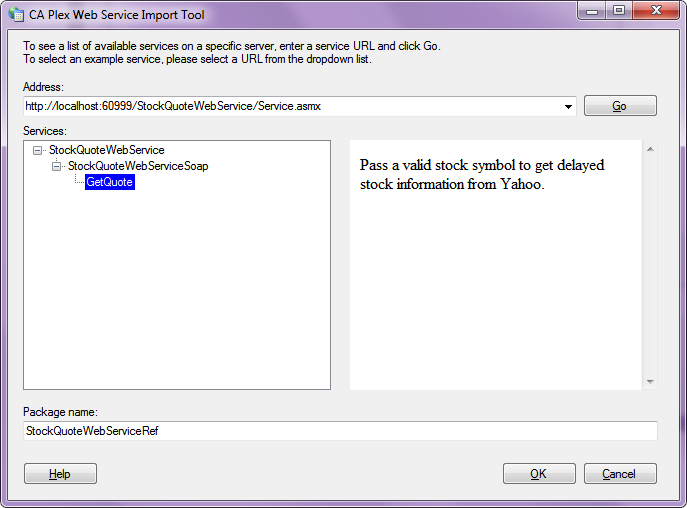
A message prompts that 65 objects have been displayed into your local model.
The CA Plex Web Service Import Tool dialog closes and your CA Plex local model opens.
Review the objects, which were created from the web service WSDL document.
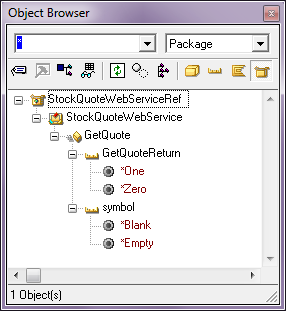
The following table explains the relationship between the WSDL document objects and the CA Plex objects created that represent them.
|
WSDL 2.0 Object |
Plex Object |
Example |
Comments |
|---|---|---|---|
|
Service |
Package |
StockQuoteWebServiceRef |
The top-level container, which describes the grouping of functions exposed on the web service. |
|
Endpoint |
|
|
The endpoint defines the address where the web service is located. This is stored in the narrative for the Package object in Plex. |
|
Interface |
Component |
StockQuoteWebService |
The WSDL interface defines a group of operations, which the web service exposes. Because there is not the concept of components which contain multiple interfaces in WSDL, each interface is represented as a component object in Plex. |
|
Operation |
Function |
GetQuote |
An operation defines one discrete unit of functionality which may be called against the web service. This is the object that Plex developers will want to invoke via action diagram Call statements. |
|
Types |
Field |
GetQuoteReturn symbol |
The types describe the data passed to and from an operation. These can be thought of as the input and output parameters of a traditional function call. |
When you review the triples that are associated with the imported web service Package, Component, Function, and Field objects, you can see some other important information about them.
Note: There will never be any dual or output fields against web service operations imported into Plex; the SOAP request always maps to input parameters and the SOAP response always maps to the return value against the call.
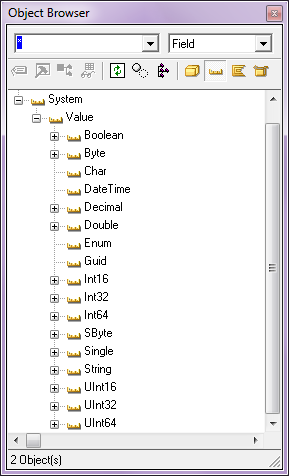
Workaround:
To use the System.Value.Double and System.Value.String values in C# panel functions, add the following two triples to your model to define the fields:
System.Value.Double decimal places NBR 2
System.Value.String length NBR 12
Save your model before continuing. You have now successfully imported the web service into your Plex local model.
After you imported the web service into your CA Plex local model, call the web service from your action diagram code.
Creating a simple UI enables you to set the symbol to retrieve the stock price for and display the returned share price as output from the call.
Follow these steps:

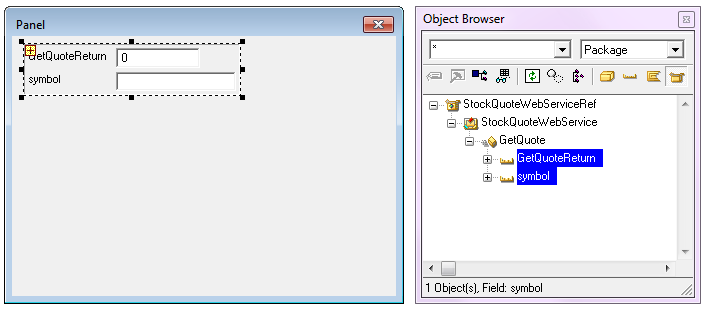
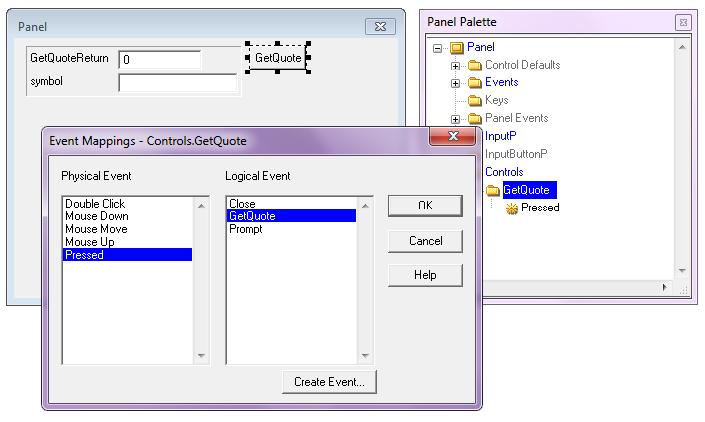
Note: You can create object reference fields manually in your model, by creating field and adding FldReferenceCom and FldTypeSys/Object triples. However, you can also create object reference fields automatically by dragging the Component, which represents the web service into a local variable in the AD Variable Palette.
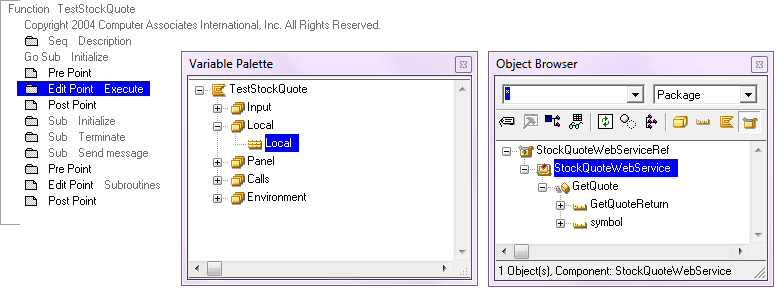
A dialog prompts you to enter some details on the object reference field that you intend to create.
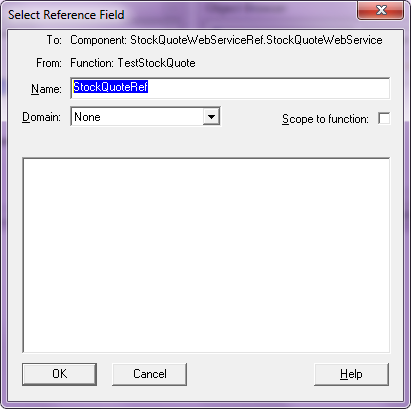
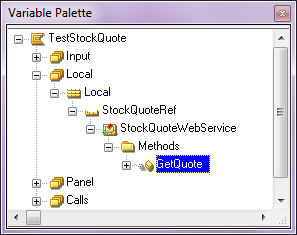
A new object reference field is created and added to the Local variable that is used by the function.
If you drill down into the object reference field, you can see the GetQuote service operation is now visible within the action diagram.
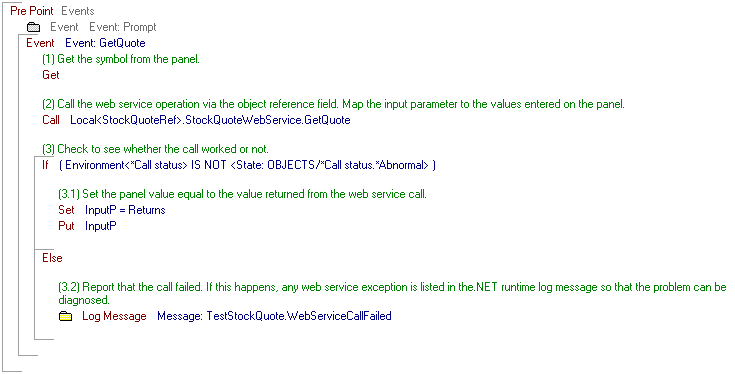
After you call the web service from an action diagram, you must now generate, build, and run your CA Plex application, which uses a web service.
Follow these steps:
The two objects to generate appear:
Defines the function that you have just created in calling a web service operation from an action diagram.
Defines the web service package that is imported into your CA Plex model. For the CA Plex .NET Runtime to invoke the web service, generate a wrapper which translates the CA Plex call into web service SOAP request/response messages.
Note: This step is required only for CA Plex r7.0. For CA Plex r7.1, you can use the new Generic Bootstrap Executable for .NET to run the function from the generate and build window without creating an .Exe.
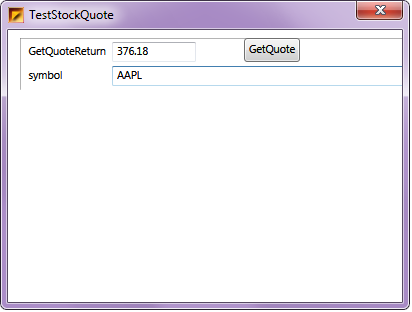
The CA Plex application calls the web service, which returns the stock quote back to the application to be displayed on the panel.
Use the following information to help you troubleshoot the usual errors that you might encounter during importing and calling a web service.
Symptom:
The back-end sample web service is not properly written and there are scenarios where the service operation crashes.
Example:
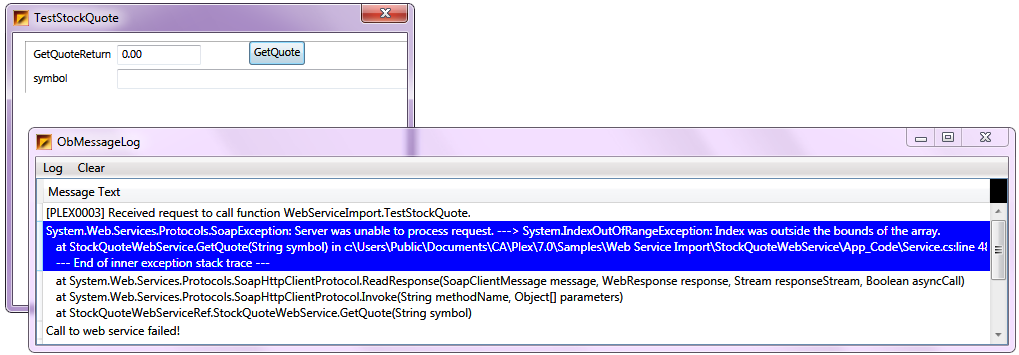
When you try to supply an empty stock symbol to the service, the web service throws an index out of bounds exception when the Yahoo! Stock Quote API returns an invalid value.
Solution:
In this example, because the error is in the back-end web service, the CA Plex .NET runtime unwinds the exception stack trace and reports the root cause of the error in the Plex Message Log. The following image shows that the root cause was an index out of bounds exception inside the running back-end web service.
Symptom:
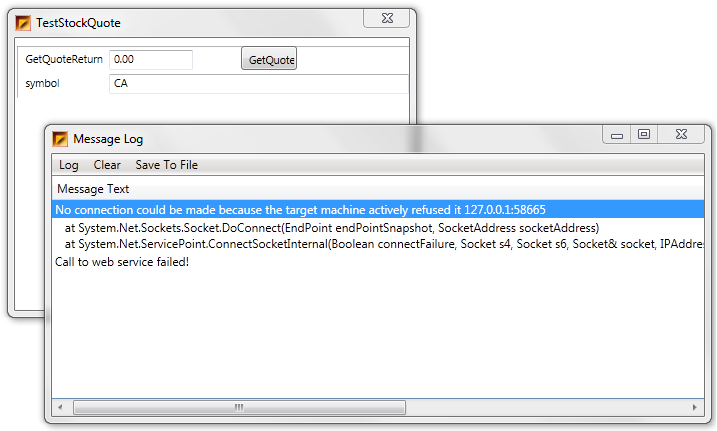
If the Plex .NET Runtime cannot connect to the server, you get a connection error that looks similar to a standard Plex remote call error.
Example:
The StockQuoteWebService is not running under debug mode in the ASP.NET Development Server, and as such, the Plex .NET Runtime cannot call the web service. You get the following connection error message: “No connection could be made because the target machine actively refused it”.
Solution:
You get this error in one of the following scenarios:
Note: If you have other connectivity issues, such as security or proxy configuration issues, the diagnostic trace message provides more information on the nature of the problem. If the web service address has changed, you can update the address to the WSDL in the Plex local model. The address is stored in the narrative for the Package object that represents the web service.
This Documentation, which includes embedded help systems and electronically distributed materials, (hereinafter referred to as the “Documentation”) is for your informational purposes only and is subject to change or withdrawal by CA at any time. This Documentation is proprietary information of CA and may not be copied, transferred, reproduced, disclosed, modified or duplicated, in whole or in part, without the prior written consent of CA.
If you are a licensed user of the software product(s) addressed in the Documentation, you may print or otherwise make available a reasonable number of copies of the Documentation for internal use by you and your employees in connection with that software, provided that all CA copyright notices and legends are affixed to each reproduced copy.
The right to print or otherwise make available copies of the Documentation is limited to the period during which the applicable license for such software remains in full force and effect. Should the license terminate for any reason, it is your responsibility to certify in writing to CA that all copies and partial copies of the Documentation have been returned to CA or destroyed.
TO THE EXTENT PERMITTED BY APPLICABLE LAW, CA PROVIDES THIS DOCUMENTATION “AS IS” WITHOUT WARRANTY OF ANY KIND, INCLUDING WITHOUT LIMITATION, ANY IMPLIED WARRANTIES OF MERCHANTABILITY, FITNESS FOR A PARTICULAR PURPOSE, OR NONINFRINGEMENT. IN NO EVENT WILL CA BE LIABLE TO YOU OR ANY THIRD PARTY FOR ANY LOSS OR DAMAGE, DIRECT OR INDIRECT, FROM THE USE OF THIS DOCUMENTATION, INCLUDING WITHOUT LIMITATION, LOST PROFITS, LOST INVESTMENT, BUSINESS INTERRUPTION, GOODWILL, OR LOST DATA, EVEN IF CA IS EXPRESSLY ADVISED IN ADVANCE OF THE POSSIBILITY OF SUCH LOSS OR DAMAGE.
The use of any software product referenced in the Documentation is governed by the applicable license agreement and such license agreement is not modified in any way by the terms of this notice.
The manufacturer of this Documentation is CA.
Provided with “Restricted Rights.” Use, duplication or disclosure by the United States Government is subject to the restrictions set forth in FAR Sections 12.212, 52.227-14, and 52.227-19(c)(1) - (2) and DFARS Section 252.227-7014(b)(3), as applicable, or their successors.
Copyright © 2014 CA. All rights reserved. All trademarks, trade names, service marks, and logos referenced herein belong to their respective companies.