

|
|
|
You can configure the CA OPS/MVS Base operations and the following optional components using CA MSM.
CICS Operations Facility; a separate license code is required.
Hardware Services
Multi-System Facility; a separate license code is required.
Unix System Services; a separate license code is required.
To configure the Base operations only:
Do not select any options.
To configure the Base operations and any options:
Select the options you wish to configure.
Note: Other components and facilities not shown are not available for configuration under CA MSM. They can still be configured manually by adding custom parameters to the OPSSXP00 member in your CNTL dataset.
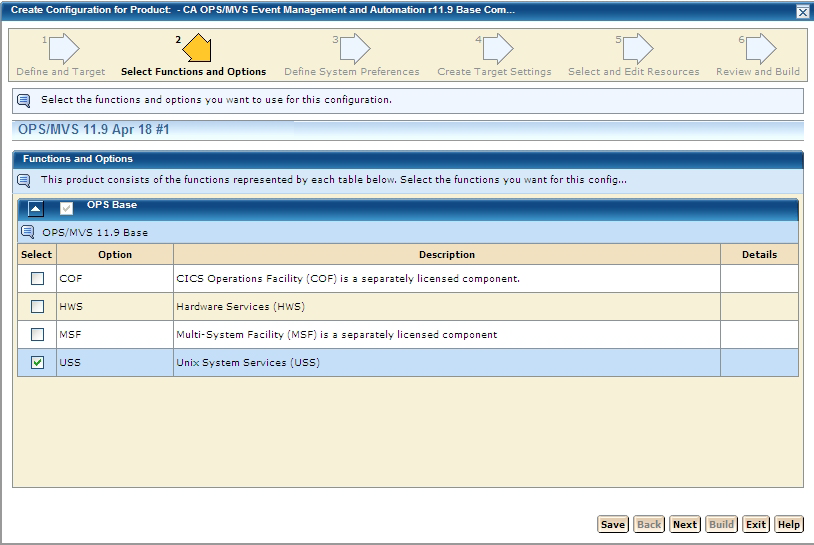
For more information on how to configure using CA MSM see the section How to Configure a Product.
Once you have configured CA OPS/MVS using CA MSM, you must complete the following manual procedures. There are exceptions to this; some steps will have been partially or fully completed by CA MSM depending on selections you have made in CA MSM. This will be noted in each subsection as appropriate.
Note: Configuration with CA MSM will automatically execute some of the steps otherwise documented as manual steps elsewhere in this manual.
| Copyright © 2011 CA. All rights reserved. | Tell Technical Publications how we can improve this information |