

|
|
|
The Host Summary views can help determine which hosts have the highest traffic volume over the interface during a time period. Access to detailed host information helps pinpoint traffic sources and quickly determine whether traffic is normal. You may be able to resolve a problem quickly because you know which hosts are responsible.
Click the name of a host in a view to display the Hosts report with interface data that is specific to the host.
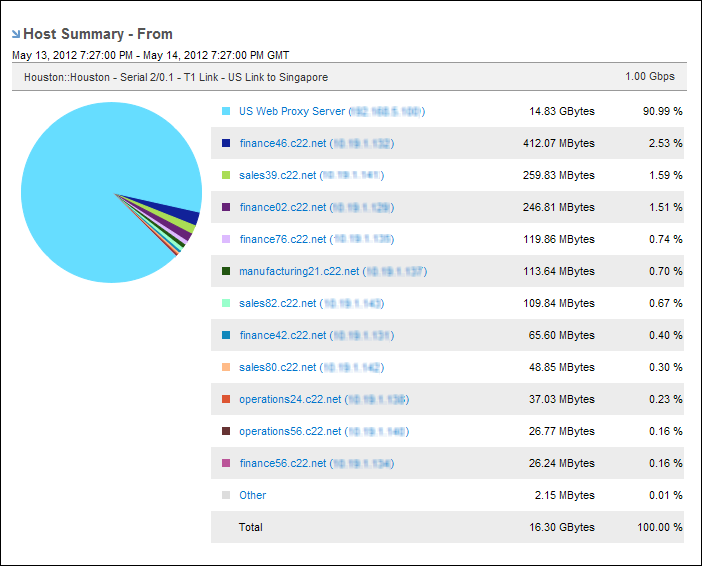
Host Summary views are included on Interface pages for specific interfaces when the selected report type is Overview or Hosts, the host range is Top N Hosts, and the Presentation mode is Pie Chart or Mixed Chart.
You also can include Host Summary views in Custom Reports.
You can display Top N Hosts information on Interfaces pages in the following presentation modes:
| Copyright © 2012 CA. All rights reserved. | Tell Technical Publications how we can improve this information |