Previous Topic: Export Monitor Data

Next Topic: Maintenance and Support

Create Reports

To create reports with the Spreadsheet Converter Add-In

  1. Open Microsoft Excel (Office 2007 or later).
  2. Click the Add-Ins menu item in the menu bar.
  3. Click the menu command.
  4. In the drop-down list, click Convert CA MAT Reports.
  5. Navigate to the directory where you stored the downloaded CSV file and select it.
  6. Click OK.

    The data is loaded, and you see the Conversion Log, which lists the reports generated, and any errors encountered.
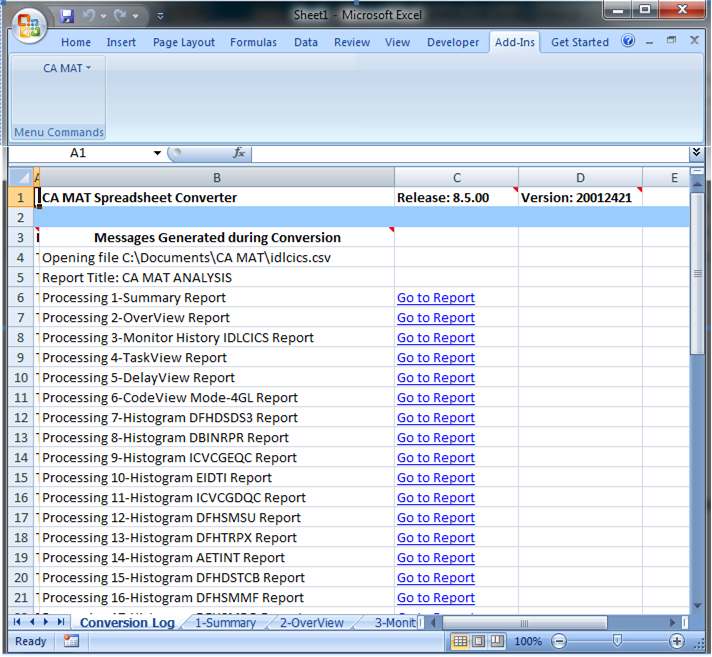
    Spreadsheet Converter Reports