

|
|
|
The topics in this section describe the manual tasks you perform when configuring your product using CA MSM.
You can use CA MSM to configure different combinations of CA MIM with CA MII and CA MIA. You can configure CA MIA alone, CA MII alone or both CA MIA and CA MII at the same time.
You can configure and implement a single MIAplex supporting up to seven MIA address spaces sharing a common set of DASD only communication control files, a single MIIplex supporting up to seven MII address spaces sharing a common set of DASD control files, or anything combination in between.
For this release of CA MIM, CA MIA and CA MII will be configured to run in separate address spaces. After you have selected, what you want to configure, you will be prompted by the CA MSM Configuration Wizard to confirm and/or modify configurable CA MIA and/or CA MII product variables.
Data sets are created by CA MSM after successfully completing each step, that is the SMP/E installation, deployment, and configuration procedures. For more information on data sets created by CA MSM see Data Sets Created by CA MSM.
Note: CA Technologies strongly advises that you perform the initial installation and configuration of CA MIM and its components in a test environment as a precaution. This testing will let you detect any possible conflicts with other vendor products.
For more information on configuring, see the How to Configure a Product.
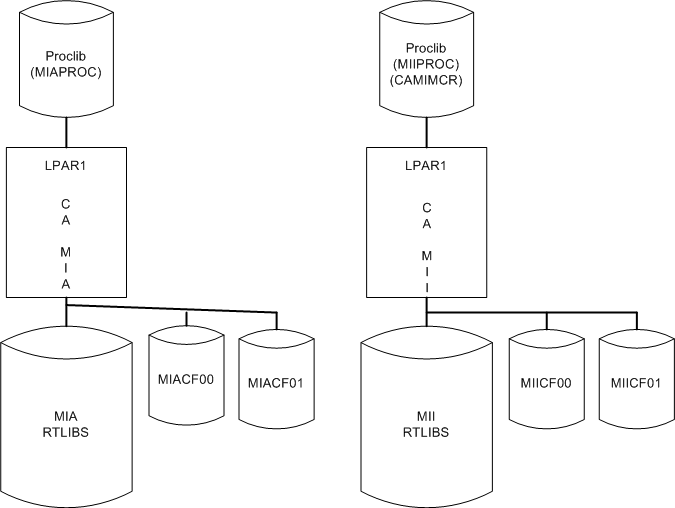
This is an example of a simple CA MIA and CA MII MIMplexes that can be configured with CA MSM. This environment has a single copy of CA MIM running in one LPAR, and a single copy of CA MII running in another LPAR.
Note: This environment would be useful for testing the initial implementation of CA MIM in a situation where the implementer has little or no experience configuring CA MII and/or CA MIA.
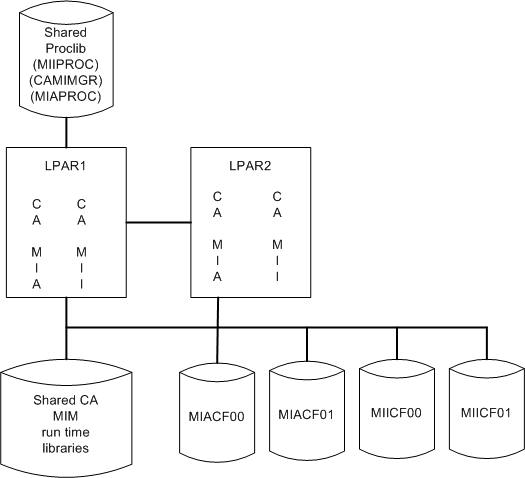
This is an example of a shared runtime library configuration of a two system CA MIA MIAplex and a two system CA MII MIIplex, both using their own private DASD only control files sharing a common z/OS procedure library and a shared CA MIM runtime environment. One copy of CA MIA, and one copy of CA MII is executing in each of the two LPARs.
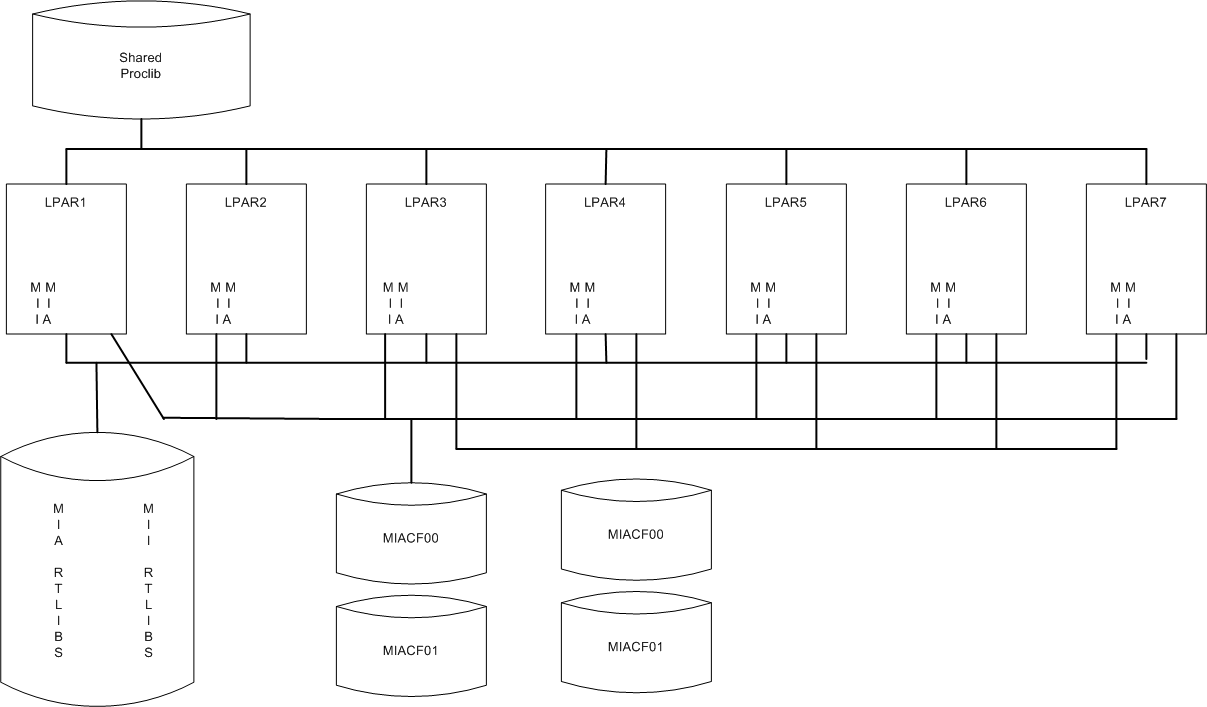
This is an example of the largest CA MIA and CA MII MIMplexes that can be configured with CA MSM. This means that no more than seven systems can be automatically configured per MIA or MIIplex using CA MSM. Manual editing of MIA/MII parm members is necessary to increase CA MSM generated MIA/MIIplexes to the maximum size of 32 systems per MIxplex.
Note: This environment would be useful for testing the initial implementation of CA MIM in a situation where the implementer has more experience configuring CA MII and/or CA MIA.
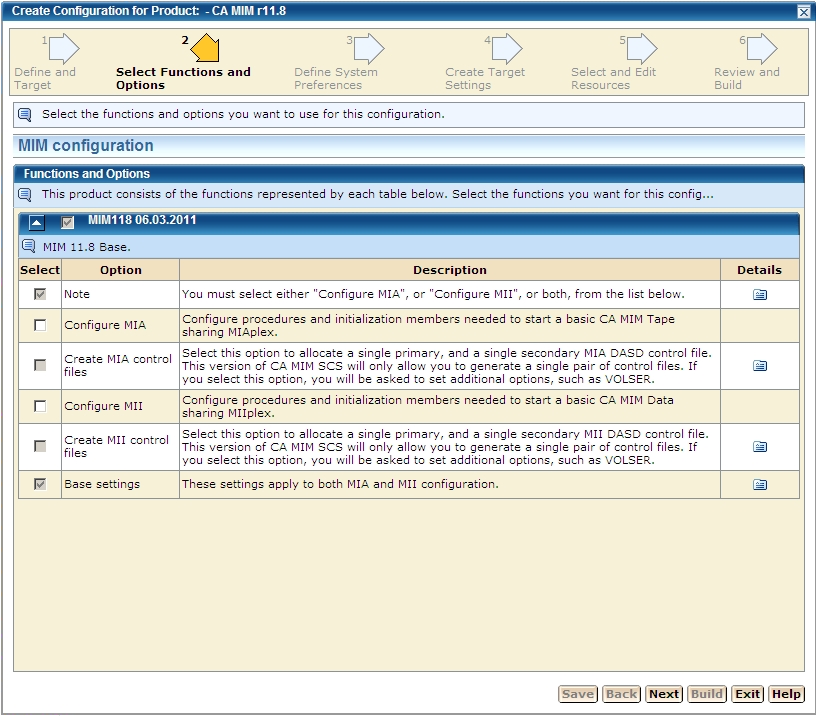
You must select an option to configure CA MII or CA MIA, or both on step 2 “Select Functions and Options” in the CA MSM Create Configuration wizard.
To configure CA MII only select:
To configure CA MIA only select:
To configure CA MII and CA MIA select:
For more information on how to configure using CA MSM see the section How to Configure a Product.
Once you have configured CA MIM using CA MSM, you must complete the following manual procedures.
| Copyright © 2011 CA. All rights reserved. | Tell Technical Publications how we can improve this information |