Basic COBOL Batch Demo Session › CAP--Create a Batch Project
CAP--Create a Batch Project
After you are connected to a server, you need to create a batch project in which to debug your program.
To create a batch project
- Click the Create Batch Project
 button on the CA InterTest main window toolbar.
The New Batch Project dialog opens.
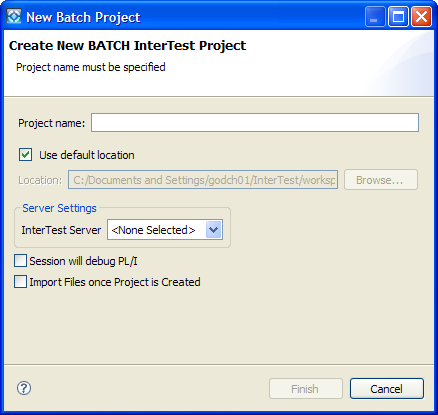
- Type Basic Demo in the Project Name field.
- Check the Use default location box.
- Select Basic Demo from the InterTest Server drop-down.
Note: Do not check the boxes Session will debug PL/I, or Import files once project is created.
- Click Finish.
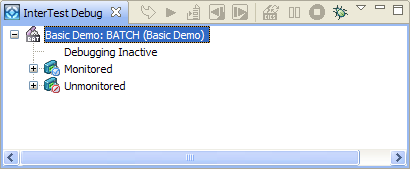
The InterTest Debug view displays the project name, the server name, debugging status, and two empty folders: Monitored Programs and Unmonitored Programs, as shown in the following illustration: