Basic COBOL Batch Demo Session › Change the Value in TASKNUM
Change the Value in TASKNUM
You have identified and confirmed the cause of the problem. Now you want to fix it.
To change the value in TASKNUM
- Right-click the variable TASKNUM in the Auto Data view. Click Change Value.
The Data View Value dialog opens.
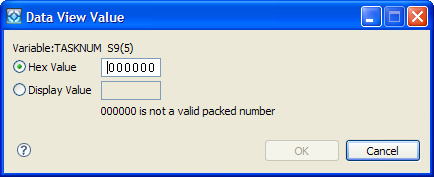
- Select the Display value button.
- Change the value of TASKNUM displayed in the box to a numeric zero (type a numeric zero).
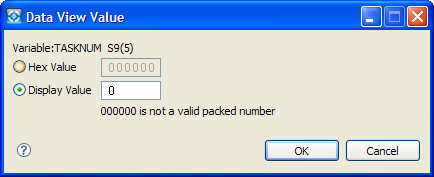
Note: You do not have to know the type of data (binary, packed, and so on) or the length of TASKNUM. You can change the contents of a field by overtyping the desired bytes.
- Click OK.
TASKNUM now contains a packed decimal zero.