Configuration Guide › CA SiteMinder Integration › Enable the SiteMinder Policy Server Resource Adapter
Enable the SiteMinder Policy Server Resource Adapter
The purpose of the adapter is to validate the SMSESSION cookie. After validation, SiteMinder creates the user context and user access to CA IdentityMinder is granted.
Follow these steps:
- Navigate to the \policysever.rar\META-INF folder located within the iam_im.ear on the application server that is running CA IdentityMinder.
- Open the ra.xml file in an editor.
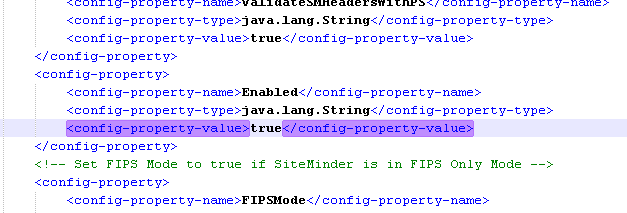
- Search for the Enabled config-property and then change the config-property-value to true as shown in the following sample:
- Locate the ConnectionURL property. Provide the hostname of the SiteMinder Policy Server. Use a fully qualified name (FQN).

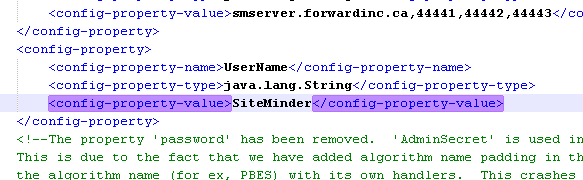
- Locate the UserName property. Specify the account to use to communicate with SiteMinder. SiteMinder is the default value for this account.
- Locate the AdminSecret property. Provide the encrypted password for the username as shown in this example:
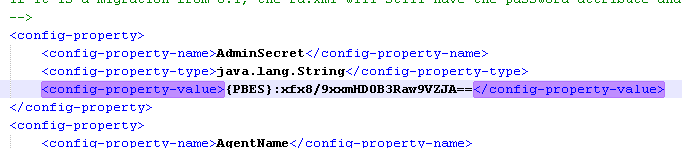
- Copy the password from the directory.xml file that you exported and paste it into ra.xml.
If you are not sure that you have a common password, encrypt your password using the CA IdentityMinder Password Tool. After you encrypt your password, paste it into ra.xml.

- Specify the 4.X agent name that you created.
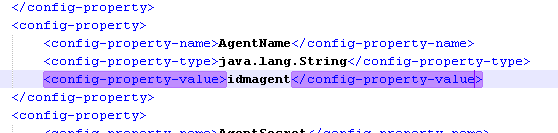
- Specify the password that you used when creating that agent.

More information:
Modify a SiteMinder Password or Shared Secret

