If you are upgrading a CA Identity Manager r12.5 SP5 or higher system, you upgrade CA Directory before upgrading the Provisioning Directory. For an r12 system, the CA Directory upgrade occurs as part of the Provisioning Directory
To upgrade CA Directory, navigate to the CA Directory installation folder on the CA Identity Manager media and run the dxsetup.exe file. The correct version of CA Directory is included on the CA Identity Manager installation media.
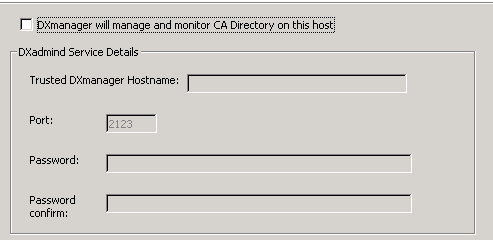
Note: This installer asks for information to install DXadmind for DXManager. You can safely uncheck this option. The Provisioning Directory does not use DXManager.
Important! If you see an error during the CA Directory that asks you to close cmd.exe or CA Identity Manager. If you encounter this message, click Ignore and continue on with the upgrade.
| Copyright © 2011 CA. All rights reserved. | Email CA Technologies about this topic |