

|
|
|
When CA Identity Manager integrates with CA RCM, CA Identity Manager can provide administrators with a list of provisioning roles that may be appropriate to assign to a user. CA RCM determines the list of provisioning roles based on criteria entered by the administrator.
When an Identity Manager Environment has an active connection to CA RCM, the Provisioning Roles tab includes a Suggest Provisioning Roles button, as shown in the following example.
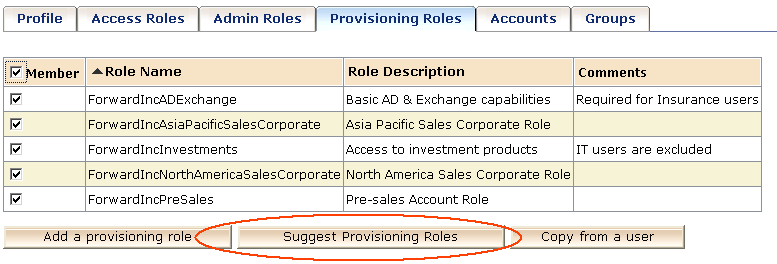
Administrators click the button to view the list of possible roles that they can assign to users. CA Identity Manager displays the list of roles that meet default criteria in a Provisioning Role search screen. This default criteria is defined when an administrator initially configures the search screen.
If administrators want to view additional provisioning roles, they can search for those roles without using the suggestion feature. In some implementations, administrators can also expand the Advanced Suggestion Configuration section, shown in the following screen, to specify new suggestion criteria.
Note: In some implementations, the Advanced Suggestion Configuration is not available. System administrators can hide or show this section by selecting a Hide Advanced Configuration option when they configure support for suggested roles.
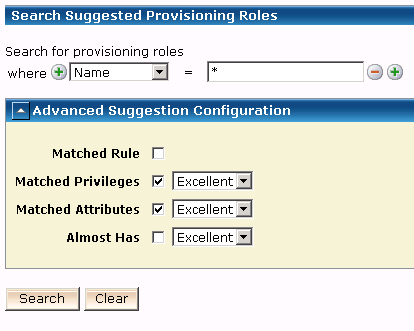
The new criteria return additional provisioning roles that the administrator can assign by clicking Add. The roles returned by the search meet the following criteria:
| Copyright © 2010 CA. All rights reserved. | Email CA Technologies about this topic |