

|
|
|
You assign privileges to users by assigning roles. A role contains tasks that correspond to application functions in CA Identity Manager or account templates that correspond to additional accounts. When users are assigned a role, they can perform the tasks contained in the role or to use the accounts that are associated with the role.
CA Identity Manager provides these types of roles:
Admin roles can also include any task that appears in the User Console.
Roles simplify privilege management. Instead of associating a user with each task the user must perform or each account the user needs, you can assign a role to the user. The user can perform the tasks in the role or can use the accounts that are associated with the role.
You can then edit the role by adding tasks or account templates, which define the accounts. Every user who has the role can now perform the new task or can use the new account. If you remove a task or account template from a role, the user can no longer perform that task or use the account.
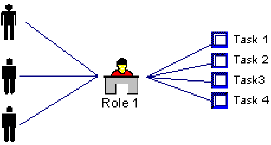
The following illustration shows several tasks which are combined into a single admin role and assigned to multiple users:
For a provisioning role, you combine several accounts, such as an email account, a database account, and an Active Directory account. You can assign the role to several users, who all need these accounts.
The following illustration shows several accounts which are combined into a single provisioning role and assigned to multiple users.
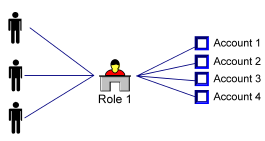
Note: In this figure, each user receives four accounts, when you assign the provisioning role to that user.
| Copyright © 2012 CA. All rights reserved. | Tell Technical Publications how we can improve this information |