Upgrade Guide › WebSphere Version › Upgrade on a WebSphere Cluster › How to Migrate a Cluster Installation to WebSphere 7 › Configure Workflow for Cluster Members
Configure Workflow for Cluster Members
From the Deployment Manager system where you installed CA Identity Manager, you configure workflow for each cluster member.
Follow these steps:
- Start the WebSphere Console.
- Navigate to Servers, Server Types, Application Servers, server_name.
- Under Communications, Expand Ports.
- Make a note of the value for the BOOTSTRAP_ADDRESS port.
- Edit the workpoint-client.properties file under iam_im.ear/config.
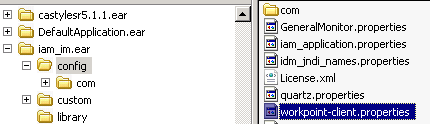
- Locate the WebSphere section in this file.
- Replace 2809 (the default port) with the profile’s port that is used for the BOOTSTRAP_ADDRESS.
- Repeat this procedure for each cluster member.
- Restart the cluster members.

