

|
|
|
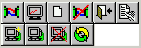
The Nodes window toolbar enables you to perform the following functions:
|
Button |
Description |
|---|---|
|
|
Connects to the selected node (CA IDMS Datasource) and creates a DOM window. |
|
|
Opens a command console on the selected node. |
|
|
Creates a DOM scratchpad window on the selected node (CA IDMS Datasource). |
|
|
Disconnects from the selected node and closes all opened windows on the selected node. |
|
|
Closes the window selected from the Open Windows branch. |
|
|
Makes the window selected from the Open Windows branch the active window. |
|
|
Adds a node (CA IDMS Datasource) to the Node list. |
|
|
Alters a selected node (CA IDMS Datasource) from the Node list. |
|
|
Permanently removes the selected node from the Node list. |
|
|
Refreshes the Node list. |
| Copyright © 2011 CA. All rights reserved. | Tell Technical Publications how we can improve this information |


