

|
|
|
When you view a configuration tab or sub-category in the UI, Federation Manager presents a list of associated objects. You can click the link of any object in the list to see detailed information about that object.
For example, from the Federation tab you can select Entities and the View Federation Entities dialog opens. You will see a dialog with a list of federation entities similar to the one shown.
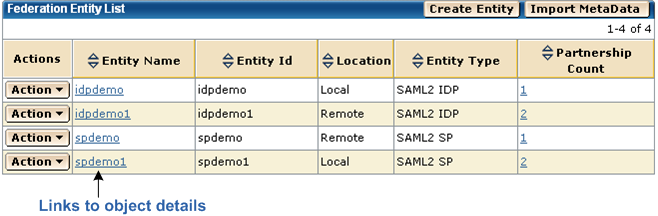
To change how the list is displayed, click on the column heading to toggle between ascending and descending order. The up arrow will be shaded when the list is in ascending order and the down arrow will be shaded when the list is in descending order.
| Copyright © 2010 CA. All rights reserved. | Email CA about this topic |