

|
|
|
Federation Manager configuration is managed through the Federation Manager User Interface (UI). The Federation Manager UI is a Web application that provides an administrator with access to all the system management functions of the product.
The administrator is a user who has full privileges and responsibilities for managing an entire federated solution.
Important! Only one administrator can be logged on to the Federation Manager UI at one time. In addition, the administrator can open only one browser instance.
The Federation Manager UI is organized into configuration tabs, sub-categories, lists and task buttons, as the following figure shows.
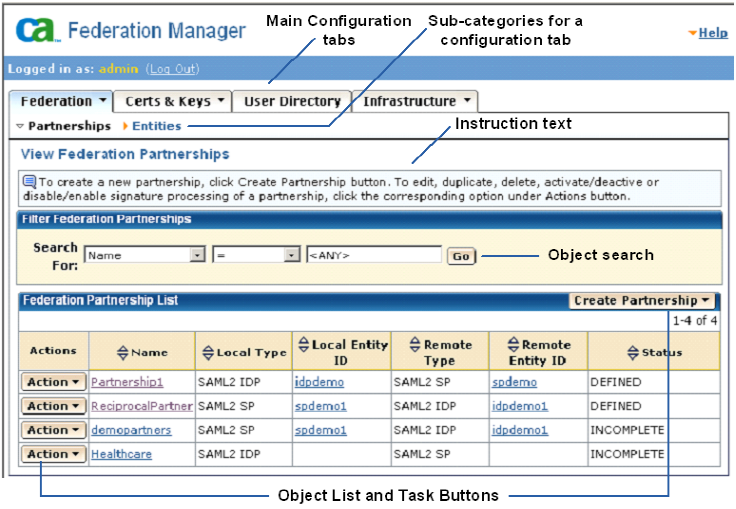
When navigating the UI, be aware of the following:
You navigate to one of these tabs first when configuring an object.
| Copyright © 2010 CA. All rights reserved. | Email CA about this topic |