

|
|
|
After you select a sub category from one of the configuration tabs, a window is displayed that shows an object list. From an object list, you can create a new object.
The following figure shows the button you can use to create a new object.
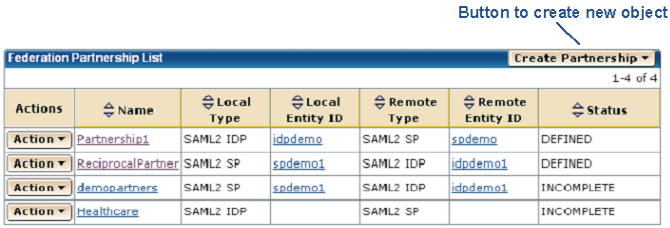
For example, to establish a new partnership, select the Federation tab to display the View Federation Partnerships window. Click Create Partnership in the Federation Partnership List. If you want to add a new certificate to the key database, navigate to the Certs & Keys tab and click Import New or Request Certificate in the Certificate and Private Key List.
After you click on a button to create a new object, the appropriate dialog or series of steps is displayed to guide you through the procedure.
| Copyright © 2011 CA. All rights reserved. | Email CA Technologies about this topic |