

|
|
|
The Action button lies to the left of any object in an object list. It displays a menu of tasks you can perform on an object, as shown:
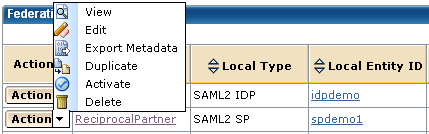
The Action drop-down menu lets you perform common tasks, such as:
The Action button offers different tasks depending on the object.
| Copyright © 2011 CA. All rights reserved. | Email CA Technologies about this topic |