

|
|
|
You should use the Entrust installation documentation to help you install Entrust Security Manager.
This section describes the only steps that will be defined here directly relate to the CA Directory configuration.
After the installation process has been completed, the following screen will appear:
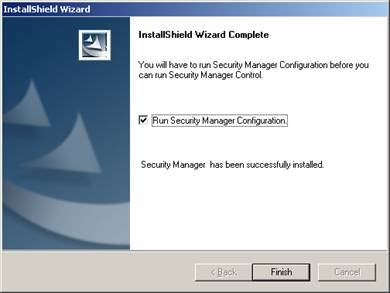
The Security Manager configuration wizard begins
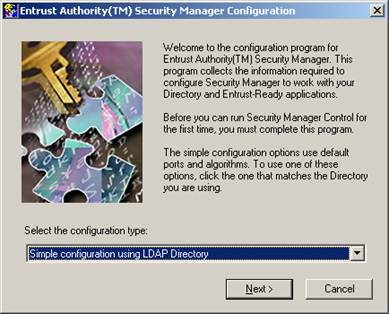
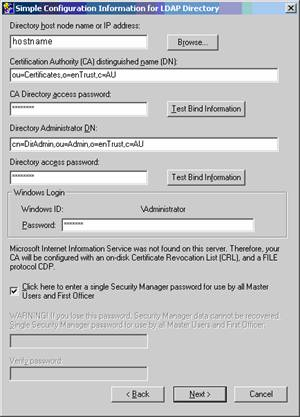
The details should be entered as is displayed above. The only change may be in the DN structure, if you've created a different DN suffix to the “o=entrust,c=au” suffix used above.
Note: You cannot use this dialog to change the TCP/IP port to connect to the DSA. This is set to port 389, which is the reason that you must set the Entrust DSA to use port 389.
| Copyright © 2011 CA. All rights reserved. | Tell Technical Publications how we can improve this information |