

|
|
|
You can customize any existing report. For example, you may want to change the data range. When you customize a report, it is added only to your reports list. It is not available to other users.
To customize an existing report
 (3) to customize a report.
The Report Properties screen displays (4). Settings are grouped into tabs, such as Basic Filters and Settings.
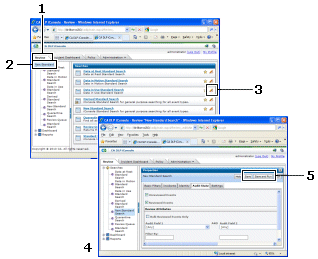
Find these buttons at the top right of the Report Properties screen.
Your new customized report ![iconsole icon customized search [2]](1477478.gif) is added to your Reports list.
is added to your Reports list.
| Copyright © 2011 CA. All rights reserved. | Email CA Technologies about this topic |