FastStart Implementation Guide › Editing Policies › Editing Policy in the iConsole › Save the Policy Changes
Save the Policy Changes
After editing your triggers, you must save your policy changes.
To save policy changes
- After editing the policy settings, click a Close button (1) to quit the Policy page and return to the Edit Policy Document Page.
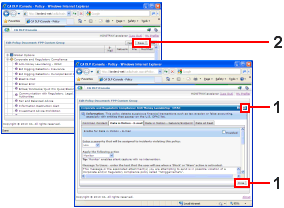
- In the Edit Policy Document page, click the Save button (2).
Important! Do not log off without saving your changes.

