Database Guide › SQL Server Guidelines › SQL Server Logins › Manually Create a SQL Server Login
Manually Create a SQL Server Login
Applicable to the CMS
If you want to manually create the SQL Server logins for the Primary User and Search User before installing the CMS, use SQL Server Enterprise Manager.
- To manually create a login for SQL Server 2005
-
- In Enterprise Manager, go to the Security, Logins folder of the CMS server:
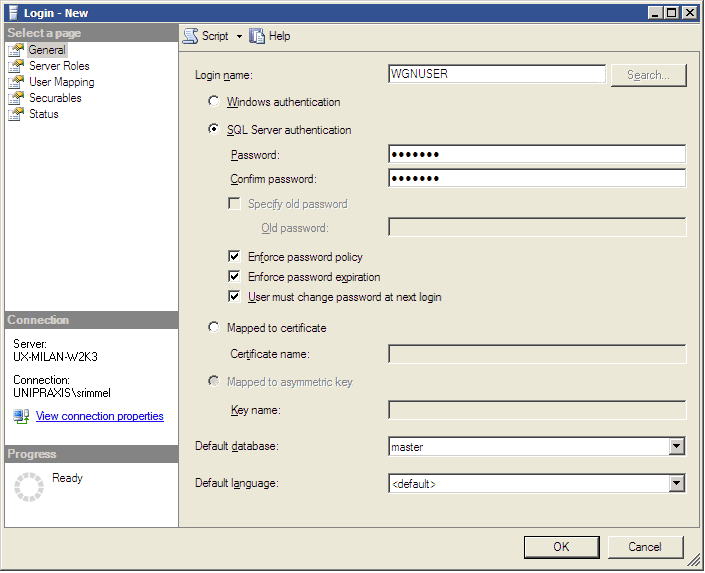
- In the General tab do the following:
- Enter a login name in the Name field. This login must be able to connect to the ‘master’ database. The CMS installation wizard will ask for this login name.
- Select ‘SQL Server Authentication’ and specify a password.
- In the Server Roles tab, grant the dbcreator role to the new login. (SQL Server uses server roles to grant server-wide security permissions to logins.)
- Click OK.

