

|
|
|
Note: Importing events is not the preferred ingestion method. More commonly, the NBA runs in ‘output to socket’ mode, passing items to CA DLP policy engines for analysis and capture.
The CA DLP Import Policy utility connects Event Import to policy engines in order to apply triggers to emails or files as they are imported. If you run the NBA in ‘output to disk’ mode, you can use Import Policy to apply policy ‘after the event’ to any emails or files imported from the NBA. For example, you can categorize, or apply smart tags to, IM conversations or emails sent using Hotmail or Yahoo! This chapter describes the steps needed to set up Import Policy jobs for the NBA:
Finally, you need to ensure that the necessary CA DLP user policies and machine policies are correctly set up.
For details about Import Policy, see the Deployment Guide; search the index for ‘Import Policy’.
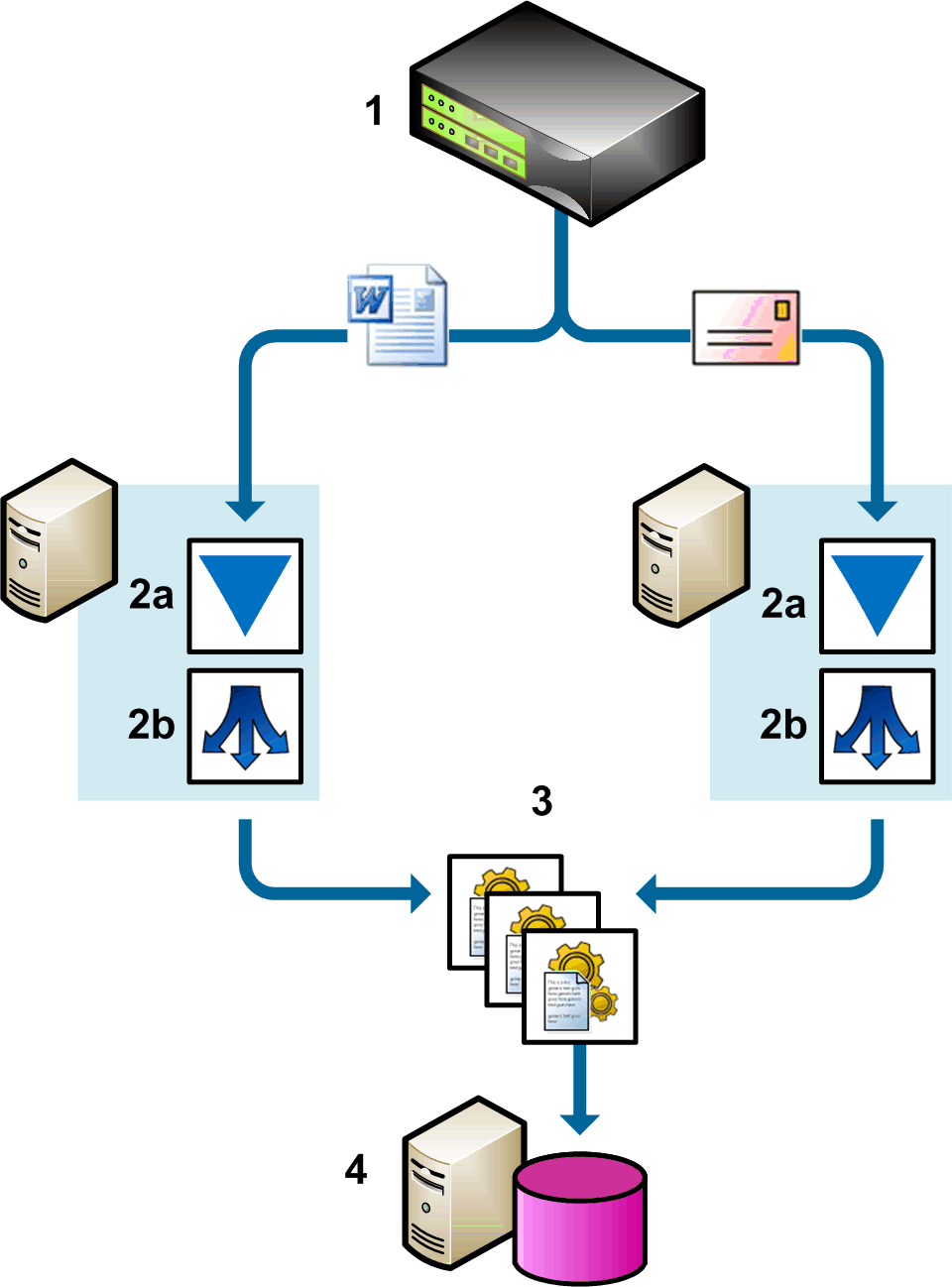
Example NBA import policy operations
Two Import Policy servers are deployed (2). One ingests files; the other ingests emails. In each case, Event Import (2a) imports items from the NBA (1) and passes these events via a hub (2b) to a shared pool of policy engines (3) for processing. The resulting events are replicated to the CMS (4).
| Copyright © 2011 CA. All rights reserved. | Email CA Technologies about this topic |