

|
|
|
A search definition to support the MyEmailSearch SPs in the Example SPs section looks as follows:
<?xml version="1.0" encoding="UTF-8"?>
<searches>
     <search
          spname="MyEmailSearch"   (1)
          major="2"
          minor="1"
          label="My First Search"
          description="Finds e-mails with specific text in the title."   (2)
          help="help/htm/MyEmailSearchHelp.htm"> (3)
         <parameters>   (4)
               <parameter
                    name="txtMatch"
                    type="text"
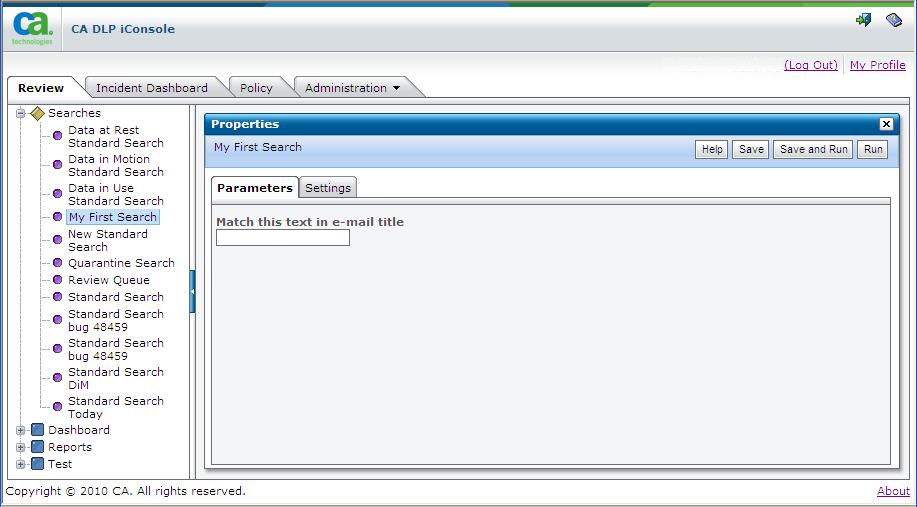
                    label="Match this text in e-mail title"
                    argpos="1"
               />
         </parameters>
         <results>
               <column   (5)
                    name="event_uid"
                    type="id"
                    label="Event ID"
               />
               <column   (5)
                    name="title"
                    type="text"
                    label="E-Mail Title"
               />
         </results>
     </search>
</searches>
Notes
1 SP name concatenated from these search attributes.
2 Search name and description.
3 HTML help page for the current search.
4 Search parameter: input box for search text.
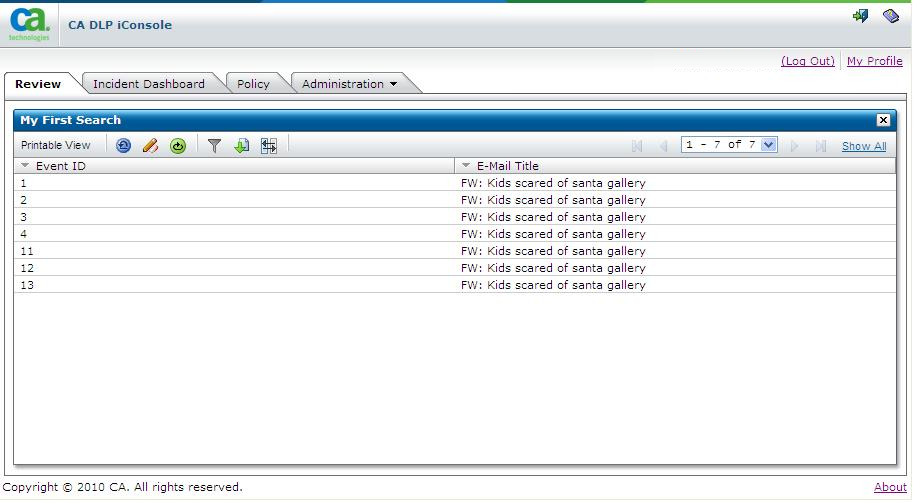
5 Event ID and E-Mail Title columns in search results screen. The name attribute is referenced in the SELECT statement in the MyEmailSearch SPs in Example SPs.
Based on the search definition file in Example Search Definition, the properties and search results pages for the MyEMailSearch SP and search definition are as follows:
| Copyright © 2011 CA. All rights reserved. | Email CA Technologies about this topic |