

|
|
|
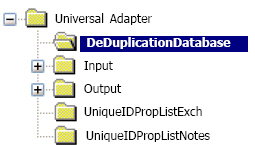
To set up the de-duplication database registry settings, you need to configure the registry values in the following registry key, created during installation:
HKEY_LOCAL_MACHINE\SOFTWARE
\ComputerAssociates\CA DLP \CurrentVersion\UniversalAdapter
\DeDuplicationDatabase
You need to configure this subkey to specify the location and type of the server hosting the de-duplication database.
Example: Universal Adapter registry keys: DeDuplicationDatabase subkey
Note: If you are not using a de-duplication database, you do not need to configure settings within this registry key.
| Copyright © 2011 CA. All rights reserved. | Email CA Technologies about this topic |