

|
|
|
Here, the sender is recognized as a CA DLP user. That is, the From: address can be mapped onto an existing CA DLP user account. For example, this will be the case if the sender uses Microsoft Outlook and your CA DLP user accounts are synchronized with Active Directory.
The NBA passes the outbound email to a policy engine, which applies the sender’s own policy. When the email is blocked, a notification e‑mail is sent internally to the sender’s corporate email address.
Example NBA notification email: Known sender
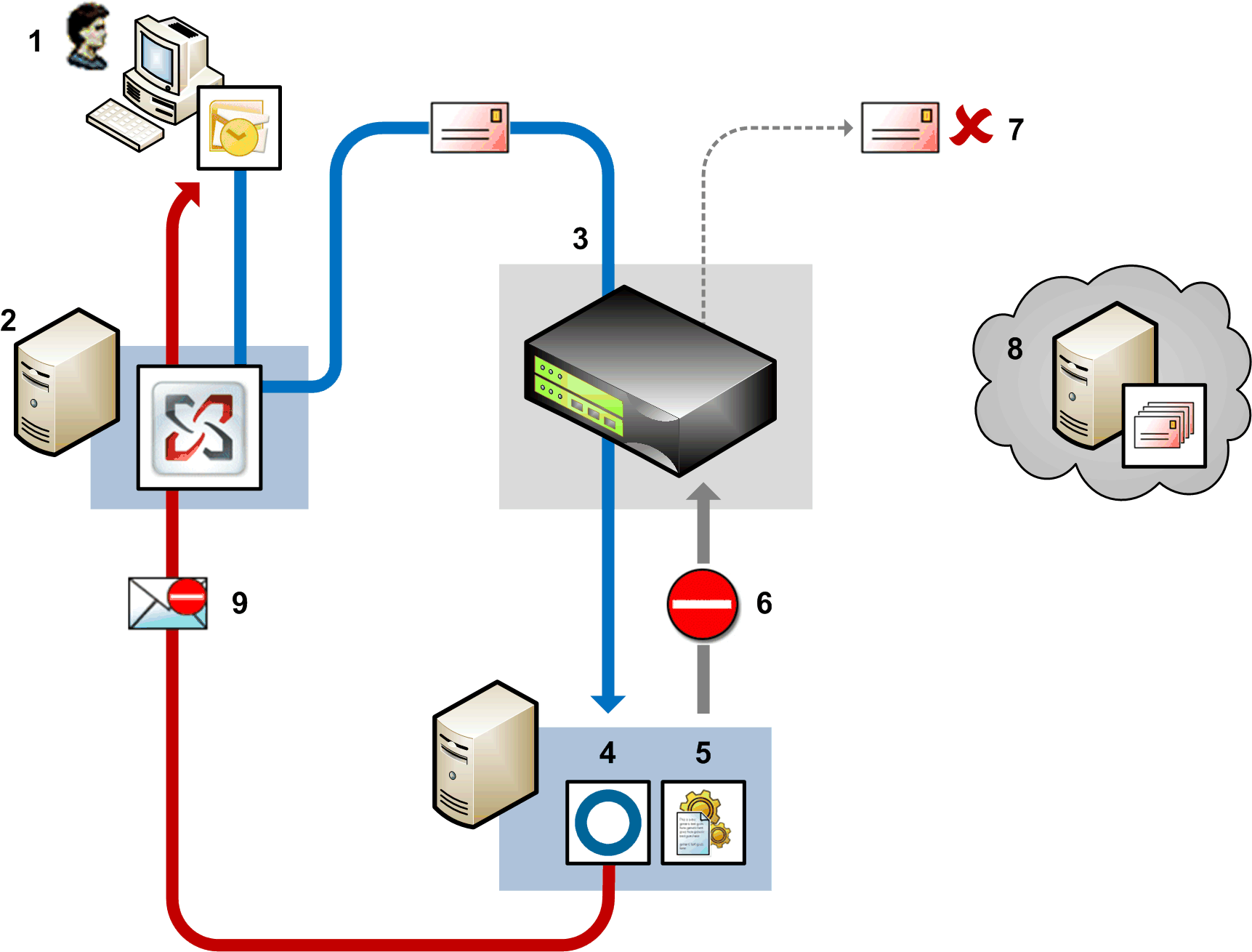
Using Outlook, a user sends an email to an external recipient (1). The corporate Exchange server (2) routes this email to the Internet via the NBA (3). The NBA passes the email via the Socket API (4) to a policy engine for processing (5).
The policy engine maps the sender’s email address to a CA DLP user account and applies that user’s policy. After applying email triggers, the policy engine calls back to the NBA to block the email (6). The email is blocked (7) and never reaches the external email server (8).
The policy control action is set to ‘Block with Notification’, so the Socket API (4) generates a notification email (9). The sender address in the From: field is configurable; for example, it can be set to ‘Compliance@Unipraxis.com’.
The notification email is delivered to the original sender (1) by the corporate Exchange server (2). If a CA DLP Exchange server agent is running, it automatically exempts the notification e‑mail from further policy processing.
| Copyright © 2011 CA. All rights reserved. | Email CA Technologies about this topic |