

|
|
|
Your organization plans to use CA ERwin DM with the concurrent licensing model. In this model, licenses are stored in a server (License Server). When you set up licenses on the License Server, you create a web service that communicates with the CA ERwin DM instances that users open.
The following diagram illustrates how to set up concurrent licenses:
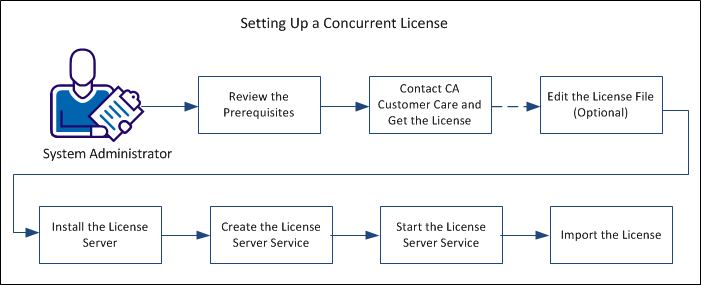
Perform the following tasks to set up a concurrent license:
| Copyright © 2012 CA. All rights reserved. | Tell Technical Publications how we can improve this information |