The Deployment summary screen appears.
The execution status portlet includes the following fields:
- Service Uptime is the time since the Web Service was loaded since it was deployed.
Note: Uptime is reset when the application server is restarted.
- Number of Invocations is the number of times the infer operation has been called.
- Number of Failures is the number of times an exception was thrown by the server.
- Average Execution Time is the average time to process infer operations since the most recent server startup.
- Minimum Execution Time is the shortest time to process infer operations, since the most recent server startup.
- Maximum Execution Time is the longest time to process infer operations since the most recent server startup.
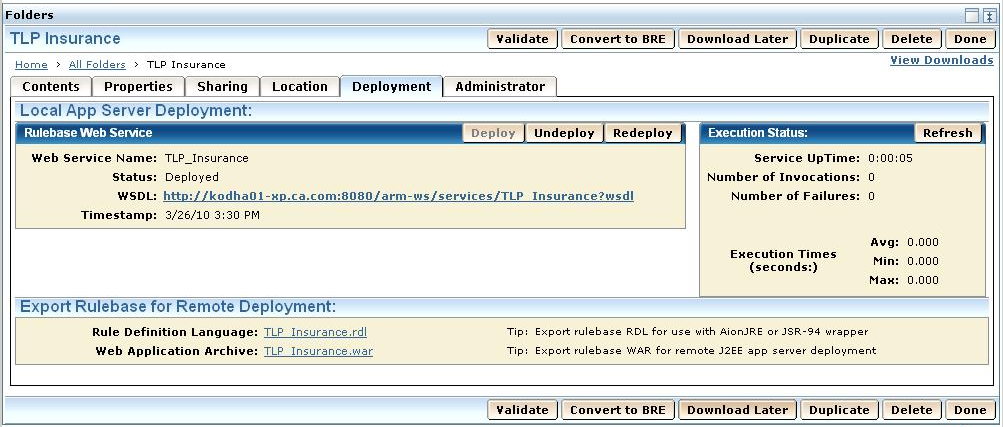
The WSDL describes to Web service clients the interface to the service, the data types it uses and where the service is located. It has all the information that a client program needs to call the web service, and many application development environments can create client interface code in a desired language from scanning this file.
The link to the WSDL file has the following format: