

|
|
|
You integrate CA Access Control Enterprise Management with CA SiteMinder to leverage CA SiteMinder advanced users authentication and authorization capabilities.
The following diagram illustrates how a system or a security administrator integrates CA Access Control Enterprise Management with CA SiteMinder:
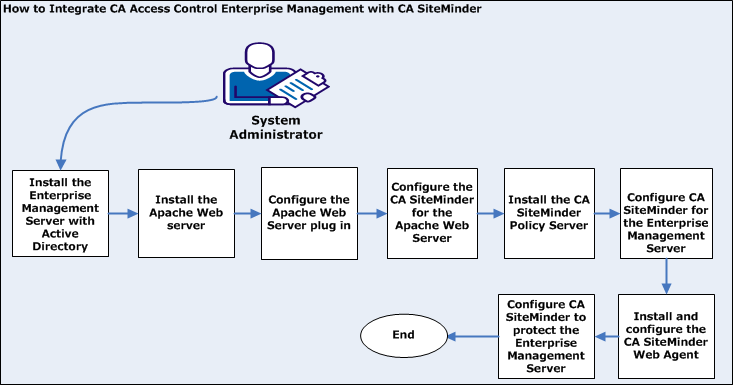
The following process explains how to integrate with CA SiteMinder:
All the web-based applications, the Distribution Server, the DMS, and CA Access Control are installed.
Note: Before you install the Enterprise Management Server, prepare the computer by installing and configuring the prerequisites.
Note: For more information about CA SiteMinder Policy Server, Web Agent and Administrator UI, see the CA SiteMinder documentation.
| Copyright © 2012 CA. All rights reserved. | Tell Technical Publications how we can improve this information |