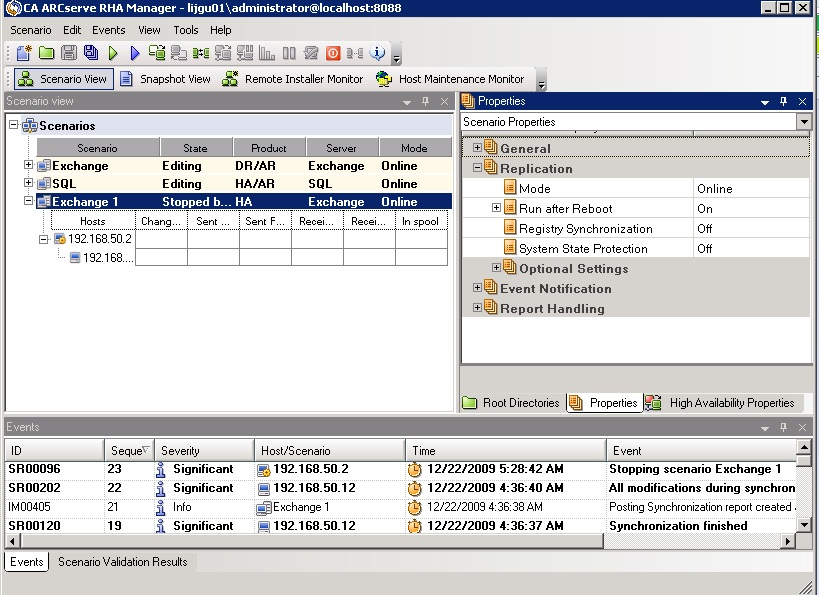
You can change a scenario configured using the Wizard or configure additional settings, or modify the scenario, using the Properties pane.
The Properties pane and its tabs are context-sensitive and change whenever you select a different node from a scenario folder. You must stop a scenario before configuring its properties. Certain values cannot be modified once set; they are noted. For full details on configuring scenario properties and their descriptions, see the CA ARCserve RHA Administration Guide.
Properties are organized into tabs on the CA ARCserve RHA Manager Framework pane. The tabs displayed are based upon server type, CA ARCserve RHA solution, and scenario status. Select the scenario for which you want to change properties, and then select the appropriate tab.
Do the following:
These settings establish default behavior for the entire scenario.
These settings establish server properties on both Master and Replica. Some settings vary by server type.
These settings control how switchover and switchback are performed.
If you deploy the Dynamics CRM environment in a distributed environment, then you need to create multiple scenarios for high availability to cover the entire distributed environment. Add the scenarios to a scenario group and enable Central Scenario Management.
A typical Dynamics CRM HA environment may be deployed as the following:
In the Scenario Dependencies property, set the dependency between scenarios as follows:
You can set all other properties according to your specific environment.
| Copyright © 2010 CA. All rights reserved. | Email CA about this topic |