

|
|
|
To recover IDS after a disaster such as a hard disk failure, you must have backup copies of the following:
To recover IDS
Note: If you reinstall IDS, be sure to use the same account name, password, and directory structure used in the IDS installation before the disaster happened.
The Control Panel dialog opens.
Note: You should use the same account name, password, and directory structure used in the IDS installation before the disaster happened.
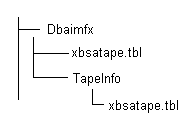
Note: ON-Bar takes time to determine the objects to restore. This process should not be interrupted. However, you can check BAR_INFORMIX SERVER NAME.LOG to see the ON-Bar restore activity.
ON-Bar handles the restore jobs from this point.
| Copyright © 2011 CA. All rights reserved. | Tell Technical Publications how we can improve this information |