Device Configuration › Using Device Configuration › Browse Cloud Folders
Browse Cloud Folders
CA ARCserve Backup lets you browse existing cloud folders directly from the Device Manager home screen.
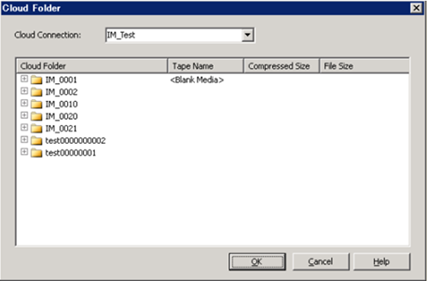
The Browse Cloud Folder launches a window to browse for a cloud folder for a specific Cloud Connection.
To browse for a cloud folder
- Open the CA ARCserve Backup Manager Console.
From the Navigation Bar, expand Administration and click Device Manager.
The Device Manager window opens.
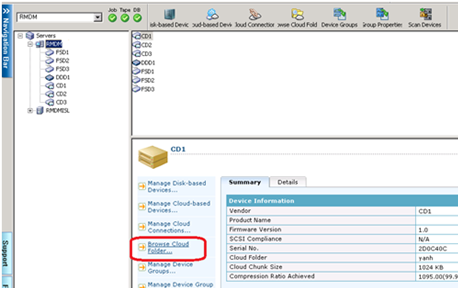
- From the Device Manager, there are three ways you can launch the Browse Cloud Folder feature:
- Right-click the specific server in the Servers directory tree and select Browse Cloud Folder;
- Click the Browse Cloud Folder button from the toolbar;
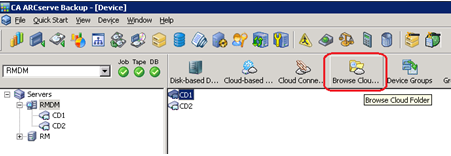
OR
- Select a Cloud Connection Name to display the list of Cloud Folders where your Cloud-based Device resides.
The Cloud Folder displays the tape name of the cloud-based device, the compressed size and file size of the cloud folder.
Be aware of the following:
- You can also browse for a cloud folder when creating a cloud-based device. For more details, see Create Cloud-Based Devices.
- From the Cloud-Based Device Configuration screen, you can select a Cloud Folder to mount as a Cloud-based Device, then click OK.
- You can right-click a folder or file to delete. This helps you manage the CA ARCserve Backup objects created in the cloud.