

|
|
|
You must configure the SharePoint 2010 agent restore configuration dialog while performing document-level restores to alternate locations.
After selecting the destination tab on the Restore manager, you must click Submit on the toolbar. The SharePoint 2010 agent restore configuration dialog opens.
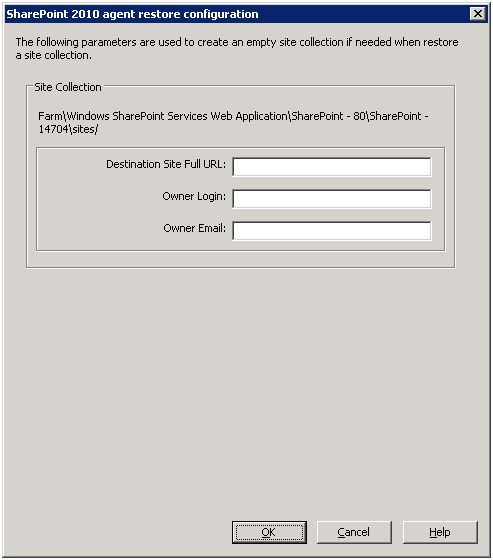
You must enter the information for the following parameters:
Specifies the destination to which the site collection should be restored.
Specifies the new site collection owner details. If the destination site collection doesn’t exist, you can use this user account to create the destination site collection.
Specifies the new site collection owner details.
If the destination site collection doesn’t exist, you can use this user account to create the destination site collection.
| Copyright © 2012 CA. All rights reserved. | Tell Technical Publications how we can improve this information |